Apps Like TodoMaps- Mind Map for todo for iPhone and iPad
Map tasks, track progress, share maps
Organize tasks with maps. Auto-arrange nodes, drag to reposition, and copy branches. Track progress with color-coded maps. Set reminders and add notes. Share maps with friends or export as images.
by WEN WU LI★ 4.654 ratingsProductivityFreeData updated 2026-09-08
Manage tasks and lists with a clean interface. Create shopping lists or packing checklists. Edit, delete, or reorder items. Sync across devices. No ads or login required. Set priorities and due dates. Share lists with others.
Capture scans using a camera with automatic cropping and detection. Organize scans with folders, tags, and drag-and-drop sorting. Access text recognition, cloud upload, and customizable themes in the Pro version.
Manage tasks and lists with customizable categories and priority settings. Create recurring tasks and set reminders. Track progress with completion stats and export data in multiple formats. Share lists with others and collaborate in real time.
Organize daily schedules with a visual timeline that combines calendar, tasks, and habit tracking. Drag and drop events to rearrange. Capture quick notes from anywhere. Set reminders and track progress toward goals.
Create and manage tasks with folders for organized work. Start a focus timer with one tap for Pomodoro sessions. View progress with a subtle ring. Filter tasks by today and importance. Set optional reminders for task completion.
Access and manage organizational data securely from any location. Edit and view web maps for internal use or public transparency. Integrate with custom applications or larger software packages for tailored solutions.
Write thoughts and ideas in a structured format without distractions. Plan tasks in one place. Track habits and set goals. Organize routines and reflect on progress. Sync across devices for consistent access.
Track routines and habits with customizable patterns. Log tasks once a day to build consistent habits. Set reminders and view progress over time. Sync data across devices and reflect on lifestyle changes.
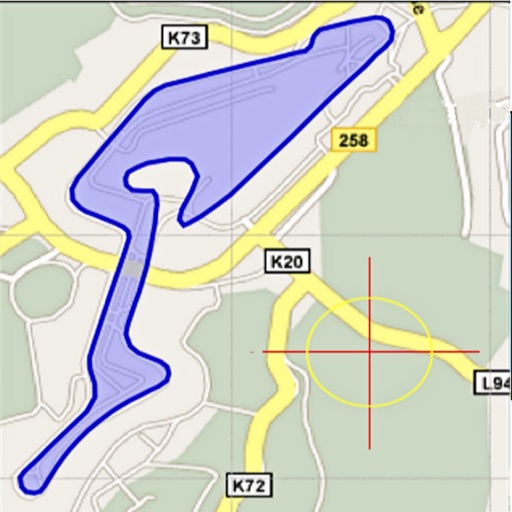
Area, lengths, and angles on maps using an interactive crosshair. Trace outlines to create connected points, updating area and perimeter in real time. Adjust radius for scaling features. View dynamic length and angle as you move the crosshair.
Stay organized by categorizing into lists and individual entries. Create to-do lists with checklists and assign priorities using color-coded tasks. Attach photos and add location details to for better context and recall.
Create and manage schedules with a clean interface. View plans for the last 10 days, previous day, today, and next week. Navigate to a calendar for additional date selections. Add and edit tasks within the plan. Export or share data as needed.
Remind users of holidays, birthdays, and events. Create custom reminders. Display school holidays. Show month history and origin. Include a world clock, calculator, alarm, to-do list, local time, and translator.
View all your calendars in one place. Set smart reminders for tasks and events. Customize schedules with recurring options. Sync across devices. Add notes and attach files to events. Share calendars with others. Track progress toward goals.
Write notes and documents with a natural handwriting experience. Customize fonts and colors. Save and organize notes. Export as PDF or image. Share notes directly. Sync across devices.
The app provides access to all tasks, notes, and memos, including properties like priority and due dates. Users can create reminders that appear on their PC or iOS Calendar, and utilize rich text notes and filters.
Manage tasks with a to-do and separate done . Add items via a plus button. Edit or delete entries using a menu icon. Search for items and reorder with a long press. Customize tap actions and disable checkboxes.
Create customizable workspaces for organizing ideas, lists, and notes. Add high-quality templates, drag-and-drop elements, and personalize layouts. Export and share designs. Sync across devices.
Share real-time GPS location via email, text, or social media. Recipients receive a map link showing your position. Supports multiple coordinate formats including degrees, UTM, and MGRS. Compatible with Apple Maps, Google Maps, and Bing.