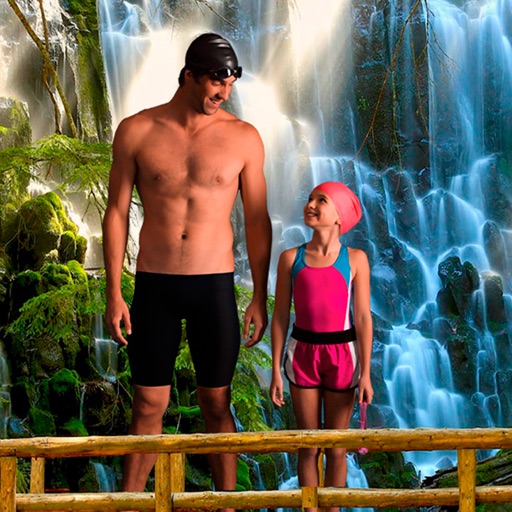
Select a from the collection. Crop a photo by pressing the silhouette button and drawing the desired area. Place the cropped image within the chosen scene. Share the final composition.
Create silhouettes from side-view photos using AI to detect contours. Adjust the with an eraser and pen tools. Choose between classic black-on-white or unlock color options via in- purchase.
Select a monument from the collection. Crop a photo by pressing the silhouette button. Draw the desired area your finger to cut out your figure. Position yourself within the chosen image section.
Edit photos by cutting and pasting faces, removing backgrounds, and deleting unwanted people. Add missing faces to photos. Use the silhouette head tool to select and edit elements. Export edited images directly.
Faces in photos and videos using AI technology. Apply funny filters and edit images. Generate AI avatars and create -swapped content. Preview hairstyles and edit photos with customizable effects. Share finished content directly.
Create photo collages and video slideshows with customizable layouts, colors, and patterns. Add text, filters, and music. Edit photos with object removal, skin softening, and blur effects. Include stickers, outlines, and background adjustments.
Create sketches from photos with adjustable brush settings and layer controls. Choose from multiple art styles including cartoon, silhouette, and watercolor. Edit sketches with tools for tracing, erasing, and color adjustments.
Add realistic to photos for scale and depth. Choose from 80+ high-resolution figures. Adjust shadows and reflections for natural blending. Save projects to iCloud and access across all devices.
Take multiple photos with customizable delays ranging from 3 to 60 seconds. Use countdown audio for timing. Choose multiple snap options. Control flash settings. Preview photos and share to social media. Save images directly to the gallery.
Edit photos by adding customizable beards and mustaches. Choose from various styles and positions. Resize or rotate elements using multitouch. Save edited images and share them with others.
Edit photos with multiple camera models simulating DSLR, iPhone, and film styles. Use AI to enhance natural features and apply various portrait styles. Save money by avoiding camera purchases.
Create collages using 9 photos. Tap frames to insert images from the photo library. Resize, reposition, and crop photos within each frame. Preview the in full size and save it to the photo library.
Pic allows users to divide their camera view into sections using various free layouts. They can take photos or import images from the Camera Roll and arrange them in different orders.
The app provides over 30 effects to make photos appear shiny and sparkly. Users can preview effects instantly and adjust transparency with an alpha slider.
Create double exposure effects by blending two images. Adjust opacity and alignment for custom overlays. Save and share edited photos directly. Access advanced editing tools with a premium subscription.
Blur faces or sensitive information with a single tap. Apply masks, adjust blur intensity, and resize or rotate blurs. Preview, save, and share edited photos. Protect privacy by blurring documents, license plates, or unwanted elements.
Photos to save storage space. Adjust JPG compression strength and image size reduction. single images, multiple files, or entire albums. Preview compressed results before saving.
Add to or images automatically. Choose or take an image, apply a caption, and share or save the result. Supports sharing to , , Twitter, and other platforms.