Apps Like Monuments montage with photos for iPhone and iPad
Crop finger tracing
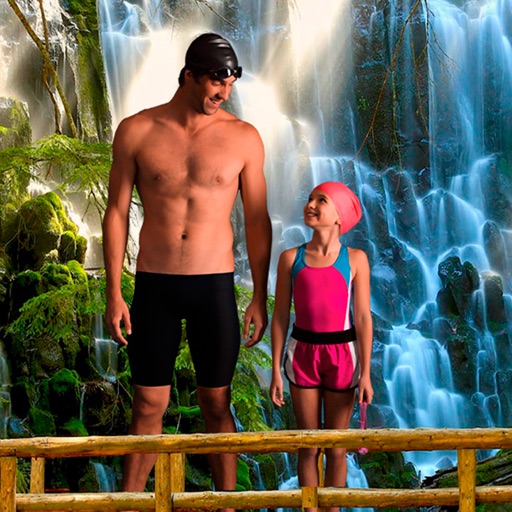
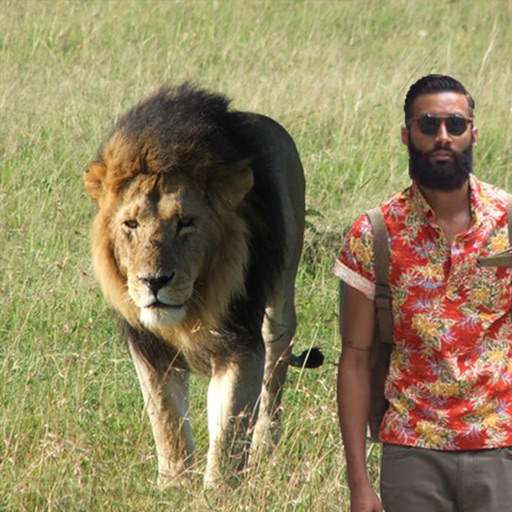
Select a monument from the collection. Crop a photo by pressing the silhouette button. Draw the desired area your finger to cut out your figure. Position yourself within the chosen image section.
by Mireia Lluch Ortola★ 4.263 ratingsPhoto & VideoFreeData updated 2026-09-11
Select a from the collection. Crop a photo by pressing the silhouette button and drawing the desired area. Place the cropped image within the chosen scene. Share the final composition.
Trim, cut, and crop clips. Adjust brightness, contrast, and color. Add slow motion effects. Overlay multiple clips. Export videos in various formats. Share directly from the .
Edit photos with enhancement tools, effects, and color splash. Add stickers, frames, and overlays. Create collages and custom drawings. Crop, rotate, flip, and straighten images. Adjust brightness, contrast, and saturation.
The app offers over 1000 effects, including AI art styles, background replacement, and makeover options. Users can create unique photo montages and collages with a built-in editor and share their creations.
Use finger to erase parts of images and solve puzzles. Reveal final image by removing correct elements. Progress through levels with increasing difficulty. Solve riddles and logic challenges. Track achievements and unlock new content.
Create videos using AI-powered tools like VideoGen for element swapping and AI Auto Cut for highlighting key moments. Add dynamic captions and generate text-to- content. Export and share videos directly to social platforms.
Edit by removing or changing the background using AI Cutout. Cut out specific areas with the Lasso tool. Blend cut-out elements with different backgrounds. Export edited images.
Remove unwanted objects, people, or blemishes from photos. Crop, resize, and adjust aspect ratios. Replace or fix backgrounds and foregrounds. Erase text, lines, and tattoos. Improve clarity and tweak brightness, contrast, and saturation.
Edit photos with AI-enhanced tools for clarity and resolution. Remove unwanted elements and separate figures or objects. Apply AI skin corrections and custom filters. Adjust HSL and curves for precise color and tone control.
Adjust image and crop in inches or centimeters. multiple photos on a single sheet. Preview exact dimensions before sending. Ensure high resolution by checking PPI settings and avoiding stretching below 200-300 PPI.
Upload from phone or social media. Create custom photo , , and invites. Order prints and photo albums. Access baby, travel, and event photo albums. Make personalized gifts and order for home delivery.
Remove backgrounds from photos using the magic tool. Manually crop or restore parts of an image. Create stickers and edit outlines for YouTube thumbnails. Export high-quality PNGs without watermarks.
Edit photos with finger-tracing and mosaic effects. Apply multiple layers of and mosaic styles. Crop processed images to custom sizes. Export edited photos in various formats.
Create symmetrical drawings using the mirror tool. Choose from various markers and tools. freely with finger or stylus. Save and share artwork. Adjust canvas size and color options.
Select and arrange up to photos from or any month. Create collages using chosen images. Share top moments via social media. View and relive favorite posts from specific years or months.
Upload from your device. Select print sizes and quantities. Choose pickup locations at Walgreens, CVS, or Duane Reade. View order status and track delivery to the selected store. Print instantly and collect them within one hour.
Cut photos with AI to remove backgrounds and isolate subjects. them onto new backgrounds or other images. Swap faces between photos and add missing people to family shots. Create collages by combining multiple images.