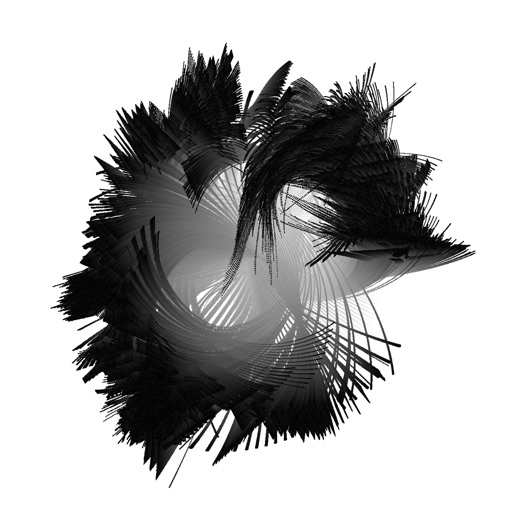
Create kaleidoscope patterns by swiping fingers across the screen. Adjust the number of lines and line color. Use multi-touch for advanced control. Save generated artwork to the device's Camera Roll.
by Aaron Neugebauer★ 4.58 ratingsEntertainmentFreeData updated 2026-09-08
Merge tiles with the same number to create larger tiles. Swipe to move tiles across the grid. Reach the tile to complete the puzzle. Track high scores and replay levels. Adjust difficulty settings for different challenges.
Create 3D structures by applying to draw circles that expand with force. Use 3D Touch to generate random color profiles and explore sensitivity. View dynamic color changes and interactive drawing effects.
Draw and sketch with pen, eraser, or lasso tools. Adjust pen thickness and color. Change canvas background color. Zoom and pan the canvas. Save and share drawings in one step.
The app features six different doumbeks with professionally recorded high fidelity sounds. Users can adjust reverb, pitch, and delay, and record, playback, and loop multi-track performances.
Create and animate particle effects in space with drawing tools and customization options. Adjust particle colors and gravity settings. Import images and record videos in full version. Supports iPad for enhanced experience.
Add motion effects and background to in four steps. Select a and song, apply effects, merge with , and share via Facebook, Instagram, email, or save to camera roll. Use advanced features like slow motion.
Track game scores with addition and subtraction features. Sort players by , name, or other criteria. Save scorecards to camera roll for sharing. No limit on number of users or rounds.
Swipe left, right, up to control ball movement. Avoid monsters and fireballs. Tap to shoot bullets. Progress through levels and collect power-ups. Track high scores and replay previous games.
The app offers multilayer paint and image editing with tools like erasers, fill tools, and color pickers. Users can manage multiple layers, adjust alpha values, and change layer visibility and order.
Track projects with step-by-step progress updates. Extract text from camera scans, PDFs, or photos. Manually enter patterns if needed. Save and organize patterns for easy reference.
Turn photos into retro video game-style images. Select pixel shapes, sizes, and color schemes. Adjust colors and flatten palettes. Pinch to resize pixels or double-tap to switch color modes.
Play a number puzzle game by swiping to move tiles. Combine matching numbers to create higher values. Win by forming a tile. Compete with friends to achieve the highest score. Save game progress and receive in-game updates via email.
Edit photos by adding vampire from a collection of over 120 options. Adjust sticker placement and choose between black or white background. Select photos from the gallery or capture new ones with the built-in camera.
The app allows users to create, manage, and approve expense reports and timesheets from any location. Users can upload receipts using the device camera or camera roll.
The app provides over 1,200 samples, 50 editable programs, and 80 editable sequences. It allows users to record samples using the iPad's microphone, line input, or a multi-touch turntable interface.
Control the robot's screen directly from the device. Access the robot's camera and screen remotely via internet. Set up Wi-Fi quickly. Use image recognition to control the robot. Activate one-touch stand-up function.