Apps Like My PaintBrush: Paint and Edit for iPhone and iPad
Create smooth images with tools.
The app offers multilayer paint and image editing with tools like erasers, fill tools, and color pickers. Users can manage multiple layers, adjust alpha values, and change layer visibility and order.
by etinysoft Inc.★ 0.00 ratingsGraphics & DesignFreeData updated 2026-10-05
The app offers multi-layer functionality for creating and saving images. It includes over 100 types of brushes with adjustable parameters and familiar preset tools for drawing and editing.
Create and refine artwork with customizable brushes and layers. Sketch, paint, and draw with pressure-sensitive tools. Save and organize projects. Export in various formats. Collaborate in real-time with others.
Edit videos with multi-track timeline support. Perform quick rough cuts with precise 0.05-second adjustments. Add transitions, effects, and text overlays. Export in various formats without watermarks. Share directly to social media platforms.
Animated movies using frame-by-frame . Import and edit vector graphics. Access tutorials for learning techniques. Export animations in various formats. Collaborate with others through community features. Adjust timing and add sound effects.
Learn to with guided lessons, text, voice, and video instructions. Access 1000+ tutorials across all skill levels. Follow personalized learning paths. Use Apple Pencil for . Track progress with structured lessons.
Create videos using premade templates or start from scratch. Apply filters, effects, transitions, and green screen features. Add music and audio effects. Export videos for Reels, TikToks, YouTube Shorts, or other platforms.
Create and edit digital art with a wide range of brushes, materials, and fonts. Apply filters, screentones, and blending modes. Use rulers for symmetry and radial lines. Clip masks and record drawing sessions with stroke stabilization.
Upload photos of your room and select a space type and style. AI analyzes dimensions and characteristics to generate customized design plans. Visualize furniture arrangements and color schemes for different styles.
Edit photos with advanced filters, cropping, and adjustment tools. Create digital art using AI image generation and text-based ideas. Enhance images with AI-powered tools and export in multiple formats. Share edited photos directly from the .
Children can draw and color using 8 different brushes including crayon, pencil, paintbrush, paintball, chalk, sponge, stickers, and stars. They can choose from over 100 pages. The includes fun effects, sounds, and stickers to enhance creativity.
Create high-quality videos with editing tools and an AI . Add music, apply filters, and use transitions or animations. Edit from scratch using templates or customize existing videos. Share finished projects directly.
Create unique shirts, pants, and accessories. Use advanced 2D and 3D editing tools. Preview outfits on customizable avatars. Design skins and digital fashion for avatar-based platforms and games.
Create looks with tools for painting, coloring, and designing. Choose from themed makeup options like pumpkin, witch, and unicorn. Add costumes, accessories, and sparkly effects. Customize characters freely in free mode.
Create digital art with drawing and painting tools. Use a wide range of brushes and customize settings for precise control. Add motion with animation tools and motion paths. Utilize symmetry guides for balanced designs.
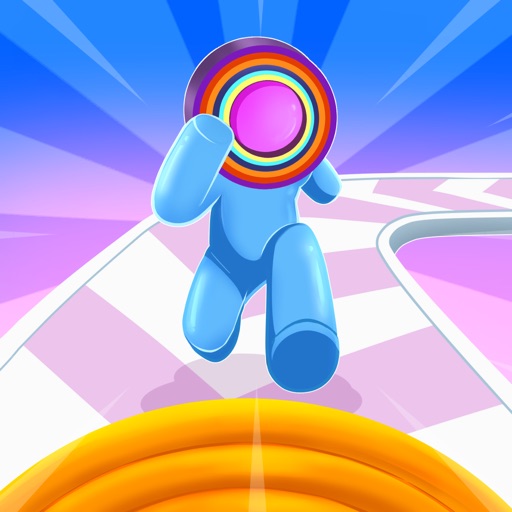
Man is a hyper-casual game where players control a stickman runner on a crowded runway. hoops to build a slinky toy. Avoid obstacles and gather layers to extend the slinky. Run continuously to maximize collected layers.
Digital sketches and collages with intuitive gesture-based tools. Add and arrange multiple photos on a single page. Cut, paste, move, and rearrange elements easily. Save and share creative projects directly.