Sketch-Notes
Francesco Abbondo
Draw with many color options.
The app provides users with the ability to draw on their device. Users can select from over 16 million colors with RGB selection and adjust brush thickness and color transparency.

Doodle sketch draw write notes
The app allows users to doodle, sketch, draw, and write notes. Users can add pictures to notes and share their creations.
Showing 81–100 of 1,000 ranked alternatives.
Francesco Abbondo
Draw with many color options.
The app provides users with the ability to draw on their device. Users can select from over 16 million colors with RGB selection and adjust brush thickness and color transparency.

Realtimeboard Inc.
Sync and organize team ideas
Create and organize boards for teamwork. Add sticky notes, drawings, and images. Collaborate in real time with team members. Drag and drop elements to rearrange. Comment on notes and track changes. Export boards as images or PDFs.

Onelight Apps CY Ltd
On paper with AR templates
Use your phone to project templates onto paper for . Upload and create custom art. Access sections for anime, tattoos, and cars. Record video of your process. Sync drawings with AR features for enhanced sketching.

Bao Lei
Sketch anywhere, anytime
Create drawings with Apple Pencil support. Use grid or lined backgrounds. over existing images. Save square images. Add widgets to showcase drawings on the home screen. Enable multitasking and multi-window features on iPadOS.


Hangzhou Beesoft Information Technology Co., Ltd.
Plan, track, and organize tasks
Manage tasks, events, and notes in one interface. Create and organize to-do lists, set reminders, and categorize items. Customize settings for personal preferences. Sync across devices and access historical data for tracking progress.

Shiny Frog Ltd.
Write, organize, and link
Write and organize using . Create journals, plan daily tasks, and track progress with tables and lists. Link together, sketch ideas, and write books. No account required. Export and share directly.

Jammsworks Inc.
Write, draw, and erase notes easily
Note-taking allows users to write notes with handwriting or keyboard input. Customize pen color and size. Undo mistakes with a single tap. Count characters in notes. Edit, add, or delete memos as needed.

POKET ART STUDIO, OOO
Sketch and patterns
Create designs with a sketchpad interface. Select from modular patterns and fabric textures like wool, linen, and velvet. Choose geometric, natural, abstract, or ethnic prints. Customize colors and apply effects.
App Family AB
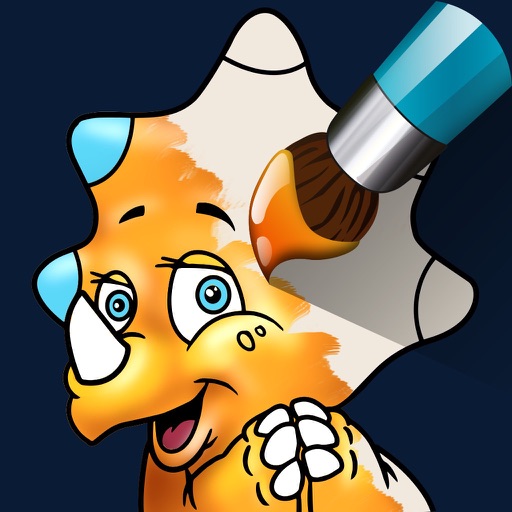
Paint cute dinosaurs with fun tools.
The app offers 16 detailed dinosaur coloring pages and two blank pages for drawing. Users can color by touching parts or draw freehand, with a magic wand tool and unlimited undos available.


伟典 苏
Draw, edit, and share handwritten notes
Create handwritten notes and drawings with customizable brushes and erasers. Use vector tools for precise shapes and annotations. Add text, highlights, and special line effects. Save and organize digital sketches and journal entries.

Rocket Apps GmbH
Write, draw, and annotate notes freely
Take handwritten notes with stylus or fingers. Import and annotate PDFs. Add text, images, shapes, and stickers. Move, resize, or rotate objects. Use layers for organization. Export documents as PDF.

MediBang inc.
Draw freely without interruptions
Create digital art with layers, brushes, and customizable palettes. Import images and vector graphics. Save and export in various formats. Access tutorials and community features. No ads during use. One-time purchase for permanent access.

Vinh Tran
And manga characters
Learn to characters using augmented reality guidance. Follow step-by-step tutorials to sketch facial features, body proportions, and expressions. Use AR overlays to visualize and refine your drawings in real time.


Soysauce Lab
Write, annotate, sketch, and organize notes
Take notes with customizable brushes including pencil, pen, brush, and marker options. Annotate PDFs and sketch lightly. Organize notes with a clean, distraction-free interface. Export notes in multiple formats and sync across devices.

AMIT CHAUDHARY
Draw and share vector graphics
Create and edit vector drawings and illustrations. Import and export files from cloud services. Design logos, posters, and technical drawings. Use multiple windows on iPadOS. Enable dark mode for system settings.
Apps are ranked by functional similarity, category fit, rating confidence, and popularity.