
Element Note
Write, annotate, sketch, and organize notes
Soysauce Lab
iPhone Screenshots


Description
Take notes with customizable brushes including pencil, pen, brush, and marker options. Annotate PDFs and sketch lightly. Organize notes with a clean, distraction-free interface. Export notes in multiple formats and sync across devices.
Element Note is the next-gen note taking, PDF annotation, and light sketching app. We stripped down the unnecessaries and carefully polished the elemental functions for a digital notebook. With a modern look and powerful features, Element Note strives to provide an elegant writing space free of distractions.
Features:
Unique brushes
- Pencil (HB Pencil, Mechanical Pencil)
- Pen (Pen, Line Pen, Fountain Pen)
- Brush (Art Brush, Round Brush)
- Marker (Marker, Round Marker)
Best-in-class note rendering engine
- Smooth and fluid drawing powered by Metal technology
- Support gradient ink for more expressive notes
Powerful attachments
- Text
- Shape
- Sticker
- Image
Universal Search
- Search through your PDF & Handwritting using on device OCR
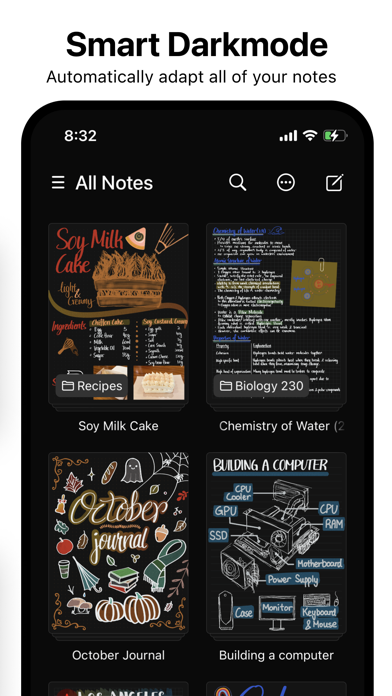
Smart Darkmode
- Smartly adapts all of your notes to the system darkmode without changing the paper or stroke colors.
iCloud Sync & Collaboration
- Sync via your personal iCloud (No data is passed to our server)
- Collaborate through iCloud collaboration for up to 100 users.
Desktop class organization
- Intuitive multi-select drag and drop gesture to organize your notes or pages
Element Note is free to try for up to 3 notes.
Unlock the full app with an in app purchase to create unlimited notes.
Terms and Conditions
https://elementnote.app/terms
Privacy Policy
https://elementnote.app/privacy