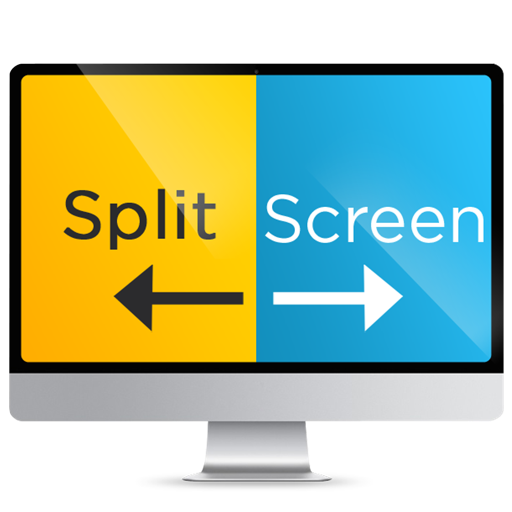
Organize windows for side-by-side viewing. Split screen by moving one window to the left and another to the right. Adjust window positions with simple clicks. Maximize screen space for multitasking.
by Nicholas Haddad★ 0.00 ratingsProductivityFreeData updated 2026-09-08
Manage windows by dragging them into predefined hot zones on screen edges. to left or right edges to split screen, resizing windows to fill half the display. to top edge to maximize window to full screen.
Display time in seconds on dynamic island and lock screen. Show desktop digital with millisecond precision. Switch between 12-hour and 24-hour formats. Use for video recording with small text and script windows.
Display real-time lyrics on lock screen, Island, and widgets. Sync with Apple Music and Spotify. Use Shazam mode to identify music playing in apps, webpages, or surroundings. Share lyrics via copy or social media.
Display content in windows for multitasking. View PDFs, texts, and documents in read mode. Preview photos and videos in media mode. Use timer functions for clock, countdown, and stopwatch. Switch between browser tabs and windows.
The app helps users manage window positions and sizes by dragging them to screen edges or corners. Users can create custom snap areas and configure keyboard shortcuts for window management.
Create drawings with Apple Pencil support. Use grid or lined backgrounds. over existing images. Save square images. Add widgets to showcase drawings on the home screen. Enable multitasking and multi-window features on iPadOS.
View allows two browser tabs to be displayed side by side. Adjustable sizes let users customize layouts for focused work. Quick tab switching improves navigation efficiency. Ideal for comparing websites, researching, shopping, or multitasking.
Edit photos with selective colorization effects. Adjust images using pinch to zoom and pan for detailed editing. Apply AI-powered styles automatically. Convert images between grayscale and color. Share via email or album.
Player integrates with for seamless playback. Supports AirPlay streaming, Picture-in-Picture mode, and Background Audio. Allows playback of with high-quality settings.
Manage multiple windows independently. Open and arrange 1, 2, 3, or 4 instances. Drag and resize windows. Open links from one window to another. Multitask by handling social media, news, and other websites simultaneously.
Enables browsing of two websites side by side on iOS devices. Users can compare products from different sources without switching tabs. Favorite websites are accessible for quick viewing. Switch between websites with a single tap.
Simulate combat with motion controls. Unsheath the blade by tapping the handle. Wave the phone to swing the saber. Stop motion to end attacks. Touch the blade to create sparks. Use translucent buttons on the right side for additional actions.
Pop Out displays a floating , , pomodoro, or in picture-in-picture mode. Users can move, resize, or hide the window. It supports precise timing for tasks like presentations or workouts. Subscription payments are processed through iTunes.
Add accurate date, time, and GPS watermark to photos and videos. Sync with network time for real-time stamps. Edit watermarks manually. Share files with location data preserved.
Monitor and control your CPI System by arming or disarming it. View real-time status of doors and windows. Receive notifications when the system is armed or disarmed. Access a 30-day event history.