Sketch Guru - My Handy Sketch Pad for iPhone
国燕 韩
Sketch portraits anytime and anywhere.
This sketch app allows users to import a photo as a sample to sketch a portrait. The app includes 23 brushes, a color picker, and pinch-to-zoom functionality.

Showing 101–120 of 1,000 ranked alternatives.
国燕 韩
Sketch portraits anytime and anywhere.
This sketch app allows users to import a photo as a sample to sketch a portrait. The app includes 23 brushes, a color picker, and pinch-to-zoom functionality.

Diem Limited
Create studies in greyscale
Lets users adjust brightness and contrast to analyze tones in images. They can isolate light and dark areas to study shadows and highlights. Export grayscale versions for use in drawing or painting practice.
MULIAN LI
Recolor photos with vivid colors easily.
The app allows users to recolor photos and apply color effects. Users can choose from 66 vivid colors or black and white to decorate images, with options to adjust brush size, intensity, and translucence.
ershadur rahman talukder
Draw, paint, and sketch pictures.
The app allows users to draw, paint, or sketch any picture. It offers custom settings for color pencils, pastels, and brushes, and users can save their artwork to their camera roll.
guangxie chen
Create art, explore colors, learn to draw
Children can create drawings using a variety of brushes, including fluorescent and graffiti styles. They can paint freely with colorful tools. The provides a creative environment for learning to draw and explore artistic expression.


Hayk Ghazaryan
, extract, and deform images
Edit images and videos by selectively recoloring elements. Extract objects, shapes, and text using tracing, magic eraser, and recoloring tools. Deform and extracted elements with distortion tools.

Bao Lei
Sketch anywhere, anytime
Create drawings with Apple Pencil support. Use grid or lined backgrounds. over existing images. Save square images. Add widgets to showcase drawings on the home screen. Enable multitasking and multi-window features on iPadOS.

Pocket Pixels Inc.
Edit photos, convert to black and white,
Edit photos by converting them to black and white while retaining selected details. Use multi-touch gestures to paint areas in black and white or restore original colors. Zoom in and out with two-finger pinching. Adjust and export edited images.

Realtimeboard Inc.
Sync and organize team ideas
Create and organize boards for teamwork. Add sticky notes, drawings, and images. Collaborate in real time with team members. Drag and drop elements to rearrange. Comment on notes and track changes. Export boards as images or PDFs.


Apple Inc.
Edit images, add layers, and sketch digitally
Create image compositions with layers, shapes, and text. Edit photos with touch-up tools and painting features. Add filters and adjustments. Export in various formats and share directly.
Evolutive Apps S.L.
Draw and share your creations
Create and edit drawings with a variety of colors and brushes. Sketch freely and refine details. Save, share, and publish artwork. Include step-by-step process for each drawing. Export in multiple formats and share directly.


Lamina Design LLC
Apply art brushes to photos easily.
The app allows users to apply photo brushes to transform pictures into paintings. It offers 20 kinds of art photo brushes with adjustable direction, hue, saturation, and blur, and includes an auto painting mode.
induben barai
Apply filters to photos and videos
Apply filters to photos from the gallery or during capture. Choose from twelve unique styles including cartoon, sketch, and paint effects. Edit images with artistic filters and save or share the modified photos.
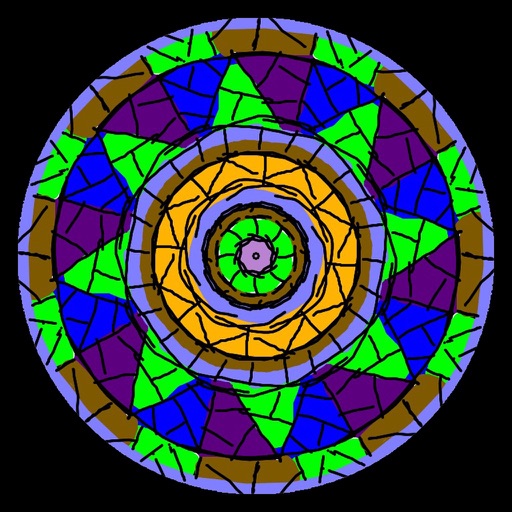
ATBOSH Media Ltd.
Draw symmetrical patterns with colors.
The app is a kaleidoscopic drawing program. Users can paint mandalas using symmetrical patterns and a color palette.
Apps are ranked by functional similarity, category fit, rating confidence, and popularity.