Apps Like YouMind - Mind Map Brainstorm for iPhone and iPad
Create mindmaps with custom styles
Create maps with drag-and-drop editing and customizable styling options. Adjust fonts, colors, and shapes. Insert and crop images with filters. Share mindmaps via social media, .mmx files, or PNG images. Sync files across devices using iCloud.
by 炜春 唐★ 4.5111 ratingsProductivityFreeData updated 2026-09-16
Digitize documents like contracts, receipts, and notes into PDF or JPEG files. multiple items at once and combine them into a single PDF. Adjust image clarity and crop edges for better readability. Export and share scanned files directly.
The app offers shape recognition for basic shapes and connections. Users can drag and drop shapes from libraries, insert images, and record audio notes with objects.
Convert images between formats such as PNG, JPG, PDF, SVG, and HEIC. Edit metadata, adjust resolution, and batch process files. Export to multiple formats and share converted images directly.
Professional designs for , invitations, presentations, , and event materials. Choose from 500+ templates, icons, and graphics. Upload custom images or use an extensive library. Customize layouts and colors.
3D models in AR and 3D modes with customizable backgrounds and shadow casting. Load files from local storage or cloud services like iCloud and Dropbox. Support multiple 3D formats including OBJ, FBX, STL, and GLTF.
Transfer files between mobile devices and computers without internet. Send photos, , and documents via local network. Open files in formats like DOC, Excel, ZIP, and JPG. Connect multiple iOS devices on the same LAN. Sync files directly to computers.
Set without trimming. Adjust to fit duration. Crop to square or keep original orientation. Set background color. Apply filters and overlay shapes. Add background music or retain original audio. Share to social media or save.
Convert files between different formats. Select files to convert and choose the target . Supports image conversions like JPEG to PNG and audio conversions like MP3 to WAV.
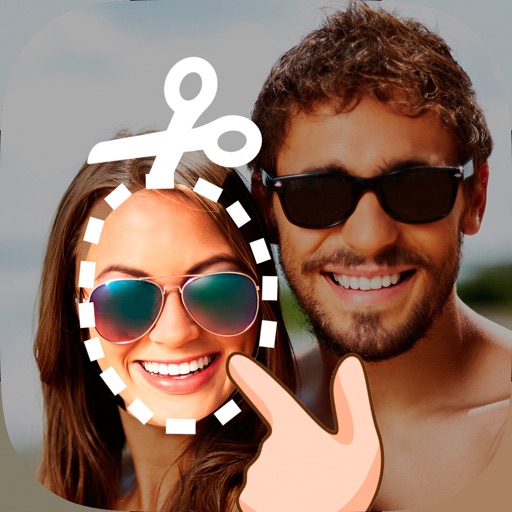
Edit photos by cutting and pasting faces, removing backgrounds, and deleting unwanted people. Add missing faces to photos. Use the silhouette head tool to select and edit elements. Export edited images directly.
Magnifier allows users to enlarge on screen and have it read aloud. Enter via tap or voice input. Customize background, font color, and gradient. Adjust reading speed, pitch, and volume. Enable screen flash with customizable intervals.
Write and execute Ruby scripts with auto-indent, syntax highlighting, and code templates. Run selected text in the built-in browser or text editor. Support file operations for text, PDF, CHM, and MP3. Execute code via keyboard and use gets function.
Keep a daily journal iCloud synchronization across devices. Add to-do items that appear in a list for easy tracking. Insert images, audio, or music into entries. Use custom fonts from third-party apps.
Scan documents like bills, receipts, and IDs into high-quality PDF or JPEG files. Share, email, or print documents directly. Upload to cloud services. Access premium features via an optional subscription.
Take handwritten notes with customizable pens, including Chinese-specific tools like a fountain pen and laser pointer. Create and organize notes in a whiteboard, notebook, PDF, mind map, or flashcards format. Sync and share notes across devices.
The app generates Aztec codes with high-resolution PNG, PDF vector, and raster output options. It supports SVG, color sync profiles, and bulk processing with automation features for custom delimiters and file text input.
Scan documents to convert them into PDF or other file types. Auto-crop and edge detection remove borders and shadows. Edit PDFs with text, images, and formatting tools. Share files via email, cloud services, or messaging apps.
Resize and crop photos in batches, adjust dimensions, rotate, or delete multiple images at once. Save edited photos to camera roll, email, or Dropbox. Customize resize settings and export to a working directory without altering original files.