Create music by rotating and positioning your device like a . Snap frequency to notes for precise tuning. Choose from three waveforms. Practice or perform with real-time sound output.
by Lennart de Meij★ 1.03 ratingsMusicFreeData updated 2026-09-09
Use sound waves to remove from speakers. Generate custom tones with adjustable frequencies and waveform shapes. Repel pests using specific sound frequencies. Test stereo sound output and measure ambient noise levels.
Generate sine, square, sawtooth, and triangle tones across a wide frequency range. Adjust frequency by swiping up or down. Sweep sine frequency for hearing testing. Play tones to clean speakerphone dust and water.
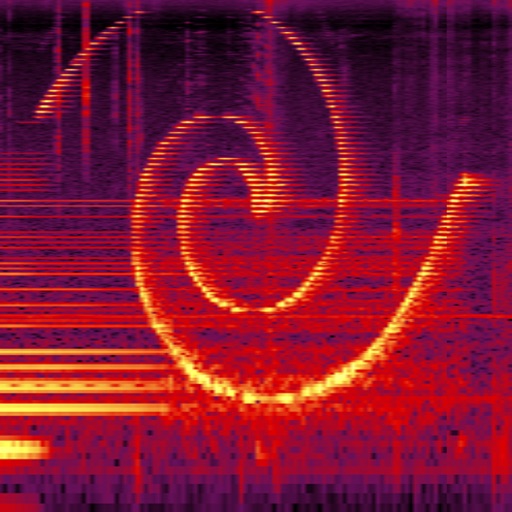
Visualize real-time audio frequencies with a spectrogram and spectrum analyzer. Adjust sample rate and frequency resolution. Identify sound frequencies, measure vocal range, and analyze audio input.
Create and shape sounds by drawing waveforms or modifying built-in ones. Mix with analog and sub oscillators. Automate knobs using 2 LFOs and 2 ENVs. Design and morph 2 wavetables for dynamic sound creation.
Explore musical scales and tunings through interactive soundscapes. Adjust pitch and harmony by touching and manipulating virtual instruments. Discover new tonal structures without prior music theory knowledge.
Create and customize synth patches using analog modeling technology and intelligent preset generation. Adjust modulation parameters for sound shaping. Access a library of pre-designed synth tones. Export audio files for use in projects.
Tune instruments with precise detection. Adjust level and quality thresholds for accurate readings. Display real-time frequency and note identification. Share tuning results via email or social media. Sync with iOS devices for seamless use.
Visualize sound frequencies over time with a time-frequency graph. Adjust color intensity to represent sound levels. Use for analyzing vocal tones, animal calls, and identifying household noises.
Perform real-time spectral analysis of sounds. View images with adjustable FFT-resolutions, frequency and amplitude scales, and color schemes. Save and share spectrograms. Access bode plot modes with averaging and maximum calculations.
Play and record music with virtual instruments. Access basic playback features for free. Use PRO features for up to 2 minutes daily. Support MIDI functionality in PRO version. Sync with Apple Health. Share recordings directly.
Apply vintage effects to audio tracks. Adjust parameters like time, feedback, and modulation. Choose between analog-style filters and modulation types. Save and load presets. Export processed audio files.
Play audio or video files with a user-friendly interface. Insert and display custom lyrics in real time during performances. Create and customize setlists with up to 280 songs.
Down audio without pitch change to practice complex passages. Loop specific sections for repeated playback. Adjust tempo and playback speed. Save and organize practice sessions. Export recordings for review. Sync with Apple Music for playback.
Learn saxophone by selecting notes to view corresponding finger positions. Access a reference guide for advanced players. Practice scales and exercises with visual feedback. Save progress and review techniques.
Decode Morse code audio into text by accessing the microphone and placing the device near the audio source. The automatically detects frequency and speed, displaying real-time text in a bottom panel. Use the lock icon to secure the interface.