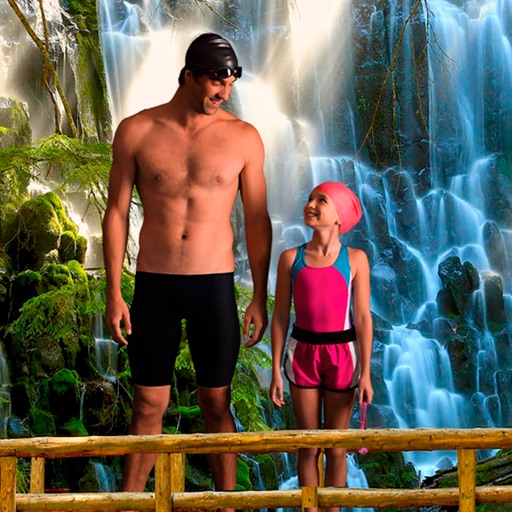
Select a from the collection. Crop a photo by pressing the silhouette button and drawing the desired area. Place the cropped image within the chosen scene. Share the final composition.
The app allows users to crop photos into a square shape for posting on Instagram. It supports both landscape and portrait orientations and offers various background options and effects.
Select a monument from the collection. Crop a photo by pressing the silhouette button. Draw the desired area your finger to cut out your figure. Position yourself within the chosen image section.
Upscale videos to 8k resolution while maintaining sharpness and detail. Process videos offline or batch upscale multiple files. Automate upscaling with Shortcuts. Supports various video formats and runs on GPU for faster performance.
Download and edit videos from any source. Save clips directly to device. Use smart finder to browse websites privately or paste links for instant playback. Edit with trimming, cropping, and filters.
Manage multimedia files across Google Drive, Dropbox, Box, and OneDrive. View and edit videos with full playback, playlist management, and trimming. Apply color filters, resize, and crop videos. Convert videos to audio formats like MP3 and M4A.
Edit photos with grid layouts, brightness, contrast, and saturation adjustments. Apply filters to enhance images. Create collages with multiple layout options. Export edited photos in various formats.
Edit videos by removing wind, hum, and background noise. Adjust volume levels and mute sections. Apply professional audio effects. Export polished audio to Photos for social media use.
Store and organize media with password protection and encryption. Create secure storage areas for images and videos. Use SnoopStopper™ and decoy safes to deter unauthorized access.
Edit videos with color or blur borders. Add background and multiple audio files. Record audio for lip-sync. Include text, stickers, and or cut segments. Export without cropping for social media sharing.
Videos into multiple parts and share each segment on social media platforms like Instagram, Facebook, Snapchat, and others. Edit clips, set sharing options, and export parts for direct upload.
Merge video clips from your library into one movie. Trim unwanted parts, crop to square, change background color, and add music with the Pro version. Share on Instagram and Vine.
Remove similar color backgrounds from images and save transparent versions to the camera roll. Erase using finger or wand tools. Zoom and rotate with two fingers. Crop photos and share to other apps.
Create a daily journal by adding photos and notes. Organize entries into themed collections. Share journals via social media or email. Sync across devices and access offline. Edit photos with basic tools and add captions.