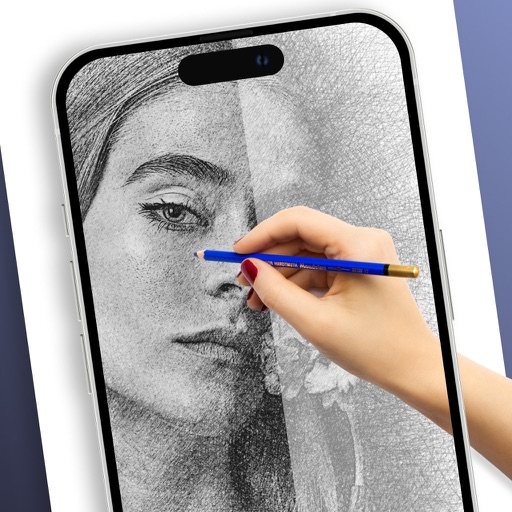
Apps Like AR Drawing - Learn How to Draw for iPhone and iPad
Sketches with AR technology
To sketches using AR technology. Choose from various categories to practice. Follow step-by-step instructions to improve techniques. and paint directly on the screen. View animated tutorials for guidance. Save and review your artwork.
by Plus Apps Bilisim Teknolojileri Reklamcilik Limited Sirketi★ 4.51,875 ratingsGraphics & DesignFreeData updated 2026-09-06
Use your phone camera to draw on any surface. Access templates for animals, cars, and nature. Utilize the built-in flashlight for better visibility. Share completed drawings with friends. Create art using augmented reality technology.
Games allow users to select color by number puzzles and images by tapping colors. Features include on pages, recoloring existing artwork, and saving progress. Users can access pixel art books and sketch freely without internet connection.
Draw and paint images using customizable color pencils, pastels, and brushes. Choose colors freely and adjust settings for precise control. Save artwork to camera roll and share via Facebook or Twitter.
On a virtual surface with finger or stylus input. Choose from various drawing tools and colors. Save and share creations directly. Supports touch and pen interaction for precise drawing.
Create anime-style drawings with step-by-step tutorials. Learn to characters and scenes through guided lessons. Export sketches and access printable templates for practice. Share artwork directly from the .
Animated movies using frame-by-frame . Import and edit vector graphics. Access tutorials for learning techniques. Export animations in various formats. Collaborate with others through community features. Adjust timing and add sound effects.
Learn to with guided lessons, text, voice, and video instructions. Access 1000+ tutorials across all skill levels. Follow personalized learning paths. Use Apple Pencil for . Track progress with structured lessons.
Learn to characters using augmented reality guidance. Follow step-by-step tutorials to sketch facial features, body proportions, and expressions. Use AR overlays to visualize and refine your drawings in real time.
On a chalkboard surface and shake to erase drawings. Add sound effects for drawing and erasing. Save images to Photos and email them. over photos to modify them. Play games like hangman, tic-tac-toe, and squares.
To with structured tutorials and daily practice exercises. Follow step-by-step guides to create illustrations. Access a variety of drawing tools and customize your workspace. Save and review progress to track skill development over time.
Create drawings using augmented reality by tracing images projected through a smartphone camera. Access step-by-step lessons for various skill levels. Save and share drawings. Adjust brightness and colors for original artwork.
Use AR to and real-world objects. Trace or create images using augmented reality. Add layers and adjust opacity. Export drawings in various formats and share directly.
Create drawings and sketches on customizable canvas backgrounds. Record sessions as videos. Share creations with friends. Choose from preset color palettes for different coloring styles.
Learn to sketch figures and garments with step-by-step guidance. Create and manage layers for detailed illustrations. Use AI tools to generate clothing and accessories in specific styles. Add body types including models, women, men, and plus size.
Trace and draw using augmented reality by projecting outlines onto real surfaces. Use camera input to create and refine sketches. Share finished artwork directly from the .
Use your phone to project templates onto paper for . Upload and create custom art. Access sections for anime, tattoos, and cars. Record video of your process. Sync drawings with AR features for enhanced sketching.