Apps Like PicTrace®: AR Drawing & Sketch for iPhone and iPad
Trace and draw with AR precision
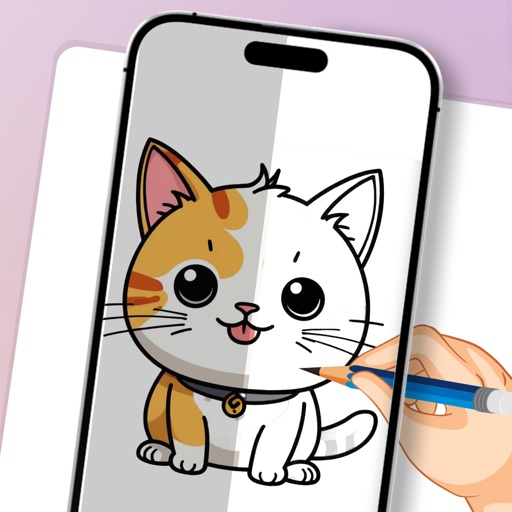
Trace and draw using augmented reality by projecting outlines onto real surfaces. Use camera input to create and refine sketches. Share finished artwork directly from the .
Use your phone camera to draw on any surface. Access templates for animals, cars, and nature. Utilize the built-in flashlight for better visibility. Share completed drawings with friends. Create art using augmented reality technology.
Use AR to and real-world objects. Trace or create images using augmented reality. Add layers and adjust opacity. Export drawings in various formats and share directly.
Create drawings using augmented reality by tracing images projected through a smartphone camera. Access step-by-step lessons for various skill levels. Save and share drawings. Adjust brightness and colors for original artwork.
Use camera to draw and paint in augmented reality. Access tracing templates for animals, cars, nature, food, anime, and more. Adjust brush size and color. Save and share artwork directly.
Create intelligent sketches and drawings with layer management. Add markup for communication. Work through all design phases with fluid tools. Support for architectural and industrial design workflows.
Use camera to project reference images into real-world space. Trace and over images with precision. Align and import images for accurate drawing. Save and share sketches directly.
Use your phone to project templates onto paper for . Upload and create custom art. Access sections for anime, tattoos, and cars. Record video of your process. Sync drawings with AR features for enhanced sketching.
Draw on physical paper using AR templates for tracing and sketching. Paint and color directly on paper with digital tools. Save and share artwork. Adjust brush settings for pressure sensitivity and stroke control.
Use augmented reality to trace photos or line drawings. Adjust brush settings for precision. Annotate and refine sketches digitally. Export final artwork in various formats. Share drawings via social media or email.
Use AR to trace and recreate images by aligning with real-world objects. Adjust line thickness and color. Save and share drawings. Access tutorials for improving sketching techniques. Export in multiple file formats.
Use AR camera to trace and sketch projected lines onto paper. Draw over real-world objects with digital ink. Save and share artwork directly. Adjust line thickness and color. Export drawings in multiple formats.
Create sketches and drawings using built-in brushes and canvases. Trace real-world images with AR technology. Save and share artwork directly. Adjust brush size and opacity for detailed work. Import images to base drawings on.
AR Camera Projection allows users to images onto paper using their phone's camera. 300+ templates provide a variety of sketching options. Users can adjust line weight and color. Export drawings in multiple formats and share directly.
Convert photos to clean outlines using one-tap conversion. Trace AR images on paper with resizing, rotating, zooming, opacity adjustment, and alignment locking. Explore 1000+ templates and create text art for crafts, projects, and learning.
FITNESS TRAINING GLOBAL ONE MEMBER COMPANY LIMITED
Sketch with AR and AI
AR – Project sketches onto real-world surfaces using augmented reality. objects for precise outlines. AI-powered tools suggest color palettes and brush strokes. Edit layers, adjust opacity, and apply effects.
Games allow users to select color by number puzzles and images by tapping colors. Features include on pages, recoloring existing artwork, and saving progress. Users can access pixel art books and sketch freely without internet connection.
Create and edit drawings using augmented reality. in real-time with touch or stylus. Adjust colors, brush sizes, and opacity. Share drawings directly or export as images.