On a virtual surface with finger or stylus input. Choose from various drawing tools and colors. Save and share creations directly. Supports touch and pen interaction for precise drawing.
by Indigo Penguin Limited★ 2.54,808 ratingsEntertainmentFreeData updated 2026-09-08
Create weapons by drawing on the screen with your finger. Customize stats using points. Tap at the right time to launch opponents off the cliff. Manage ink levels as they deplete during creation.
On a chalkboard surface and shake to erase drawings. Add sound effects for drawing and erasing. Save images to Photos and email them. over photos to modify them. Play games like hangman, tic-tac-toe, and squares.
Play games on iPhone or iPad by connecting to a computer running via local network. Use MFI or controller for input. Requires iOS 11.0 or higher and compatible computer.
The app allows users to create glowing artwork with drawing tools and add animations. Users can save creations to their photo album or email them to friends.
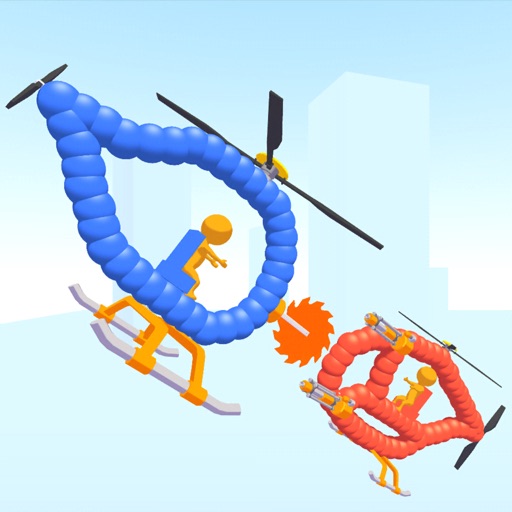
Create custom helicopters with drawing tools, select from guns, machine guns, and lasers. Battle enemies in increasing difficulty levels. Progress through stages to face stronger opponents. Play freely without cost.
Browse the catalog to purchase PC games and view game and community news. Check account balance and manage Guard with two-factor authentication. Scan QR codes to log in and protect your account.
Solve drawing puzzles by identifying missing parts and outlining them with your finger. The game colors and fills in the completed sections. Progress through a series of puzzles that require logic and creative problem-solving.
Create intricate designs, patterns, and mandalas using intuitive drawing tools. Use a single stroke to generate complex artwork. Access a variety of brushes and color options. Save and share creations directly.
Take a selfie and submit it for others to portraits. Browse community artwork including masterpieces, doodles, and caricatures. Use GPU-accelerated tools with various brushes for drawing.
Create and customize vehicle designs. Choose colors, parts, and accessories. Test vehicles on tracks with physics-based collisions. Save and share creations. Compete in multiplayer races. Adjust settings for difficulty and game modes.
Learn to with step-by-step tutorials and interactive guidance. Follow structured lessons to improve skills. Practice drawing techniques and receive feedback. Save and review progress. Share creations directly.
Test your drawing skills by mimicking virtual signs to navigate a colorful, ever-changing cyber world. Collect bytes and interact with audiovisual elements. symbols to progress through relaxing, hypnotic environments.
Use AR to sketch and paint on paper. Select images from the built-in gallery. Position paper on a flat surface for accurate drawing. Draw over projected images with precision. Save and share artwork directly.
Customize cases with painting and acrylic art tools. Choose colors and patterns to design unique cases. View designs in 3D and share creations with others.
Edit images by on photos and adding text. Choose from 45 colors and five pen thicknesses. Use zoom editing and undo functionality. Share edited images via email, Twitter, and Facebook.
Create colorful designs using art effects with 48 unique brushes and 48 shapes across six categories. Use symmetry and inverse drawing modes for creative effects. Apply dynamic textures and -off particles for realistic results.
Create and customize characters by drawing on a sketchbook. Expand your island by adding structures and elements. Build a colony without combat. Manage resources to grow and develop the environment. Save and share your creations.