Display full- digital time with seconds on dynamic island and . Choose from various digital font styles and customize colors. Show date and week information. Set hourly chimes and voice time announcements.
The app allows users to draw geometric shapes, color drawings, and retouch photos. Users can share their creations with friends using different drawing tools and colors.
Create custom fonts by drawing characters with your finger. Choose from various styles like scripts or block letters. Save and apply fonts to messages and social media posts. Share created fonts with others.
Manage schedules and timetables with support for multiple calendars. Color-code classes for easy identification. Track to-dos, assignments, and exams with deadline reminders. Calculate attendance rates and record attendance entries.
Edit photos with custom filters and apply effects. Save and share edited images. Set 4K and live lock screens. Choose from categorized backgrounds. Edit and customize photos for personalization. Export and share edited content directly.
Create drawings with Apple Pencil support. Use grid or lined backgrounds. over existing images. Save square images. Add widgets to showcase drawings on the home screen. Enable multitasking and multi-window features on iPadOS.
Create lock screen backgrounds with personalized names. Type in or initials to preview designs. Choose from over 40 unique wallpaper options. Save images to camera roll and set as lock screen.
Provides FNAF with easy navigation and HD designs. Allows quick saving and sharing of images. Includes regular updates and social media sharing options. Optimized for multiple iOS devices.
Customize with widgets for social media counters, contact info, and launcher options. Add favorite contacts and follower counts. Learn to set and adjust settings. New widgets are added monthly.
Sketching and apps offer tools for creating and editing artwork. Users can draw on a virtual canvas, access various brushes and colors, and save or share their creations.
Quickly access favorite contacts to call or text from lock and home screens. Send messages via WhatsApp, Slack, Telegram, Facebook Messenger, email, or FaceTime. Organize contacts into groups and send group messages.
Create and view PDFs from images, drawings, maps, and web pages. Edit rich text, browse the web, and scan documents. Save and share files via WiFi. Manage files with a simple interface and export in multiple formats.
Learn to sketch figures and garments with step-by-step guidance. Create and manage layers for detailed illustrations. Use AI tools to generate clothing and accessories in specific styles. Add body types including models, women, men, and plus size.
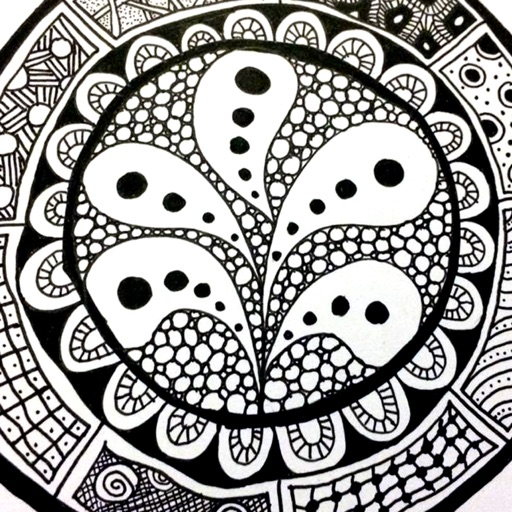
The app provides a reference guide for doodlers, featuring 100 tangle patterns with drawing instructions. Users can browse a gallery of creations and share their own drawings.
Displays a large digital on the table. Shows in seconds on dynamic island, lock screen, and home screen. Provides full-screen view for easy reading. Includes hourly chime and reminders. Allows voice command to stop the alarm.
Take notes with customizable ink styles and pressure-sensitive strokes. Choose from various pen tools and colors. Record and sync audio with writing. Draw precise shapes and lines. Share notes directly.
Create drawings with a variety of colors and brushes. Select from pre-designed templates and characters. Add animations and sound effects. Save and share artwork directly.
Turn your lock screen into a media hub with for shortcuts, contact lists, and photo displays. Track physical activities and sports achievements. Edit wallpapers with a user-friendly editor. Download exclusive location-based content.