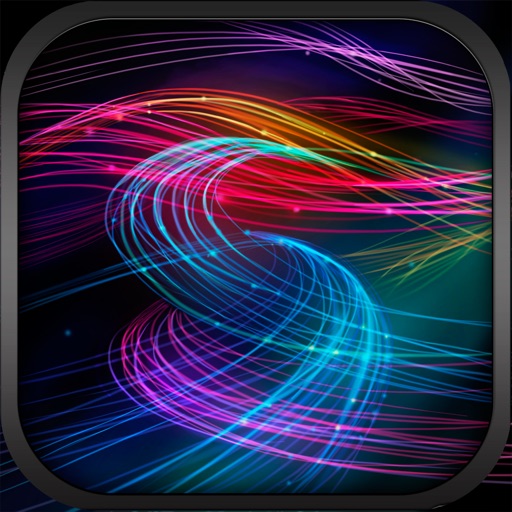
The app offers a relaxing experience by combining music, art, and science. Users can create ten distinct animations by touching the screen with one to ten fingers, each producing a unique visual effect.
Keep track of dreams through text or voice recordings. Share recordings with others. View weekly calendar with moon phase indicators. Monitor moon phases and their potential impact on sleep. Organize and review recorded dreams.
Wallpaper+ allows users to set and customize high-definition wallpapers. It offers a variety of -themed images across different styles. Users can browse and select wallpapers for their device screens.
Track daily and set a 10,000-step goal. Add a widget to Lock Screen or Home Screen for progress visibility. Change goal settings as needed. Display step count in Light and Dark modes. Turn green when goal is met to indicate success.
Create anime-style drawings with step-by-step tutorials. Learn to characters and scenes through guided lessons. Export sketches and access printable templates for practice. Share artwork directly from the .
Set daily and motivational quotes. Create customizable todo items and receive messages on the lock screen. View via widgets on the home screen. Adjust reminder frequency and timing.
Customize iPhone with a wide selection of . Add fun emoji stickers and create unique layouts. Change font styles for messages and personalize typing experience.
Optimized for iPhone models from SE to Pro Max. Categories include seasonal and limited edition options. Preview on lock and home screens. Download with one tap. Features daily updates and 20+ featured options.
Customize lock screen with widgets for useful info. Add word of the day, daily countdown, battery status, custom text, and build custom widgets. Includes additional features for free.
Customize lock screen with of sports . Apply special effects like rain, flashing lights, or smoky exhaust. View HD videos with movement. Slide to browse and download preferred .
Access live wallpapers, static wallpapers, and themes with keyboards. Use AI to generate and redraw wallpapers. Create AI avatars. Add widgets to Home and Screens. Customize with quotes and images.
Create visual event timelines by drawing on a clock face. Tap to edit or reposition events. Receive haptic feedback for precise adjustments. Past events fade to minimize visual clutter. Sync with iOS Calendar and iCloud.
Set custom on lock screen with adjustable fonts and colors. Display Bible verses, quotes, or personal messages. Use AI writing tools to generate inspirational content. Sync with device settings for automatic updates.
The app combines music, art, and science for a relaxing experience. Users can guide star flow with multiple fingers, creating up to 10 different animations based on touch points.
Allows users to zoom in and use night mode for detailed self-viewing. It tracks facial movements to keep the user centered. Users can blur or whiten specific areas of the screen.
Decorate home screen with interactive widgets. Display photos in sorted order or create collages. Add multiple photos at once and rearrange them. Supports transparent and iOS 18 lock screen widgets. Choose from various sizes and refresh intervals.
Create customized monogrammed with selectable backgrounds and text. Add unlimited text elements and apply filters for color, brightness, contrast, and saturation. Adjust hue and add effects like vignette. Include design elements and stickers.