The app uses an automatic colorization technique based on scribbles to change object colors in photos. Users can mark parts of an image with any color and the app will apply the changes.
by Leszek Szary★ 4.419 ratingsPhoto & Video$1.99Data updated 2026-10-12
Allows users to convert images to black and white while emphasizing specific objects or colors. Users can open existing images or capture new ones with the camera. They can zoom and pan using two fingers or paint with one finger.
The app allows users to create pixel art for iron-on beads and bead stitching. It supports importing and scanning photos into a pixel art canvas with adjustable sizes and various bead shapes.
Create digital art or doodles on photos with advanced painting tools like 3D-Shaded , Halo , Plasma Chain , and Translucent . Use Lighten and Darken tools to add depth. Adjust stroke size based on finger pressure. Export artwork in various formats.
Edit photos with cartoon-style anime filters and portrait transformations. Colorize black-and-white images using AI. Remove or replace backgrounds with one tap. Enhance skin tone and texture with AI-powered retouching.
Clean and customize vehicles including sports cars, school buses, and airplanes. Remove scratches and dents, clean interiors, and tidy exteriors. Paint and change vehicle appearances.
Guess the colors of iconic symbols and match them to the correct hues. Complete levels by selecting accurate colors. Track progress through 300+ challenges designed to test memory and color recognition.
Remove backgrounds from product photos using AI. Retouch images with one tap. Change backgrounds automatically based on product type. Export edited photos for online marketplaces. Adjust colors and brightness for professional results.
The app provides layer support, selections, and masks for photo editing. Users can export projects with layers preserved and access various tools and filters.
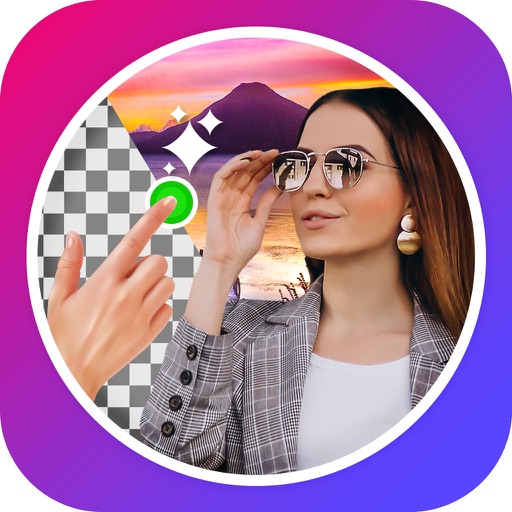
Edit images to remove backgrounds using AI. Cut out objects and replace them with new backgrounds. Adjust edges for smooth transitions. Share edited images directly.
Edit photos by selecting from a gallery or capturing new images. Apply unique and not found elsewhere. Adjust background colors and photo size. Combine multiple with a single tap. Export and share edited photos.
Create collages by combining multiple photos into a single . Resize the , adjust rounded corners, change resolution, and modify the color. Rotate individual images within the . Premium plan offers additional features and auto-renewing subscriptions.
Edit by selecting from the gallery or taking a new photo. Adjust images to a square format. Add text with customizable fonts, colors, and borders. Move, rotate, and scale text. on with finger input.
Create art with a wax simulator that mimics real-life drawing. Adjust stroke size based on finger contact area for precise control. Draw thin lines with fingertips or broad strokes with full finger pressure.