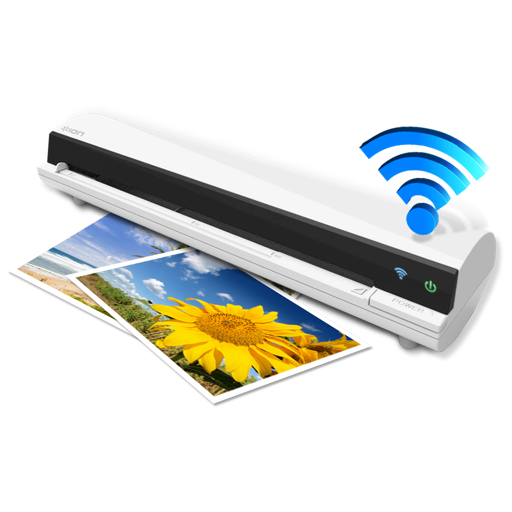
The app works with the ION Air Copy hardware, a portable Wi-Fi scanner. It scans photos, receipts, business cards, notes, and documents up to US Legal size directly to a Mac, then shares them via email or social networking.
by Ion Audio, LLC★ 0.00 ratingsProductivityFreeData updated 2026-10-10
Documents and convert to PDF. Save and share notes, drawings, or other files. Edit scanned documents with markup tools. Organize and manage digital documents in folders. Export files in multiple formats and send via email or messaging.
Convert documents, receipts, business cards, QR codes, and barcodes into high-quality scans. Automatically enhance image clarity for better readability. Batch scan multiple items at once. Save and share scans in PDF format.
Read and annotate PDFs with text highlighting and comment features. Convert documents to editable formats. Scan and digitize paper files, receipts, and notes using AI. Edit text, add signatures, and fill out forms.
Documents, receipts, and IDs with high-quality, high-resolution scans. Save and share scans directly. Organize files in folders and access them anytime. Convert scanned documents into editable formats.
Scan and convert documents to PDF with auto-crop and OCR for fast, accurate results. PDFs by adding, removing, or rotating pages. Sync files across devices and manage multiple accounts. Use smart renaming suggestions and text detection features.
Scan documents to create high-resolution JPEG or PDF files. Email scans or export to Dropbox, Evernote, SugarSync, and other cloud services. Enhance scans with color or black-and-white options. Preserve original details during scanning.
Documents, receipts, invoices, and business cards with high-quality scans. text, add notes, and organize files. Export as PDF or image formats and share directly.
Scan documents into PDF, JPG, or ZIP formats. Use ID-card and passport modes for specialized scanning. Save and share files directly. Organize scanned documents in a mobile office folder.
Scan documents quickly with high-quality image capture. Extract text using OCR for editing or translation. Export files as PDF, JPEG, or TXT via email, chat, or cloud. Add electronic signatures to forms and contracts.
Convert PDFs to Word documents and export pages as JPG or PNG. Scan documents, receipts, and IDs with auto-crop and perspective correction. Edit files by adding text, highlights, and signatures.
Create structured with multi-level document management and color tags for quick highlights. Add password protection for secure notes. Sync across Mac, iPhone, and iPad using iCloud. Share documents and use intuitive gestures for editing.
QR Scanner allows users to scan and read QR codes and barcodes using their phone's camera. It provides product details, opens links, and connects to Wi-Fi. Users can save scan history and access previous scans.
Manage local and cloud files in one . Transfer files wirelessly to Mac or PC via Wi-Fi using drag-and-drop. Access multiple cloud accounts. Stream music and videos from the cloud. Use built-in tools to organize and view files.
Scan documents with high-resolution imaging to preserve paper details. Fax, email, or export scans as JPEG or PDF. Save files to Dropbox, Evernote, SugarSync, and other cloud services. Adjust color for improved clarity.
Convert documents by scanning with automatic boundary detection. Batch multiple pages at once. Save scans in PDF or image formats. Share files via email, cloud services, or messaging apps. Edit text and annotate scanned documents.
Documents, receipts, and photos to convert into PDF or JPEG. Add signatures and share files directly. Organize scanned images and manage documents securely. Supports OCR for text recognition and includes editing tools.
The app digitizes paper documents into PDF format. It recognizes text in multiple languages, allows for scan cleanup, and converts files to various formats.