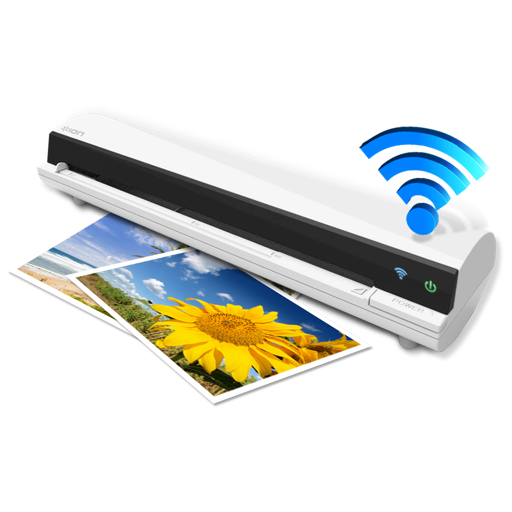
The app works with the ION Air Copy hardware, a portable Wi-Fi scanner. It scans photos, receipts, business cards, notes, and documents up to US Legal size directly to a Mac, then shares them via email or social networking.
by Ion Audio, LLC★ 0.00 ratingsProductivityFreeData updated 2026-10-10
Documents using the device camera or existing photos. Crop, rotate, and enhance scanned images. Add text annotations and signatures. Save files in PDF or image formats. Share documents via email, cloud storage, or messaging apps.
Perform OCR on scanned documents to extract and edit text. Save recognized text for copying or storing. Email documents as PDF with text, single page image, or both. Scan letter-size or A4 pages for accurate results.
Manage files across iPhone, iPad, or iPod touch. Connect to Mac or PC via Wi-Fi for file transfers. View documents, play music, browse images, and record audio. Drag and drop files from Finder or Windows Explorer.
Scan documents, photos, receipts, and notes by capturing images with your device. Crop, rotate, and enhance scanned content. Save files in PDF or image formats. Share scans via email or messaging apps.
Convert documents, receipts, and notes into high-quality PDFs with scanning and editing tools. Print files, photos, and other content directly from iOS devices to compatible printers. Share scanned documents and PDFs via email or messaging.
And crop multiple at once using AI-powered enhancement and perspective correction. Batch process images for quick digitization. No ads or subscriptions. Export edited in various formats.
Documents with automatic edge detection, trimming, and perspective correction. Convert to PDF, extract text, and translate content. Batch process files for efficient management.
Convert documents and ID proofs into searchable PDF or JPG files using the camera. Scan receipts, contracts, notes, and books. Save scans as multipage files and organize them for easy access. Share scanned documents directly or store them digitally.
Send and receive faxes directly from iPhone or iPad. Upload files and transfer PDFs to cloud storage services. Scan documents using the device camera. Add sender and recipient details. View sent and received faxes in the .
Scan local network devices to identify active machines and internet devices. Assign custom names and icons to devices. Save and review past scans. Use PING, Wake on LAN, and Port Scan tools. Import/export scan results via email or Bluetooth.
CODEBAKER BILISIM HIZMETLERI VE TICARET LIMITED SIRKETI
Scan documents and faxes globally
Scan and documents as faxes worldwide. Use camera to capture contracts, invoices, receipts, and notes. faxes to any location. View and manage sent faxes. Share scanned documents via email or cloud storage.
The app allows users to scan documents and convert them to PDF or text format using OCR. Users can then edit or copy the text, or save it as a text file.
Documents, photos, and receipts to convert them into editable PDFs or images. Organize files into folders, add notes, and share via email or cloud services. Set reminders for document expiration and sync across devices.
, business cards, receipts, and multi-page files into PDF or JPEG. Crop and enhance images. Extract text with AI. Generate summarized content and suggested titles. Email or share scanned directly.
Extract text from images or documents using the camera. Edit and copy extracted text directly. Save text as files or share via email. Supports multiple languages and formats.
Scan and archive documents quickly with OCR technology. Add recognized text as an invisible layer for selectable copy. Save as PDF or image formats. Integrate with Spotlight for easy search.
Turn your phone into a professional scanner. Capture documents, receipts, and notes with crystal-clear quality. Save, edit, and share scans as PDFs. Merge, reorder, and organize pages. Export via email, cloud, or messaging apps.