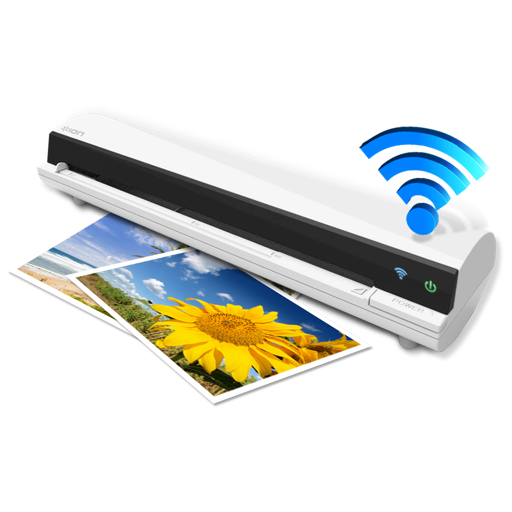
The app works with the ION Air Copy hardware, a portable Wi-Fi scanner. It scans photos, receipts, business cards, notes, and documents up to US Legal size directly to a Mac, then shares them via email or social networking.
by Ion Audio, LLC★ 0.00 ratingsProductivityFreeData updated 2026-10-10
Create and manage PDF documents by scanning, editing, and signing files. Extract text from PDFs and import various file types. Reorder, rotate, duplicate, or delete pages. Scan multiple pages at once with smart edge detection.
Convert documents to PDF and JPEG formats. Recrop scans, adjust contrast, and change orientation. Import from Photos for editing and sharing. Save files to Google Drive. multi-page documents and organize into custom folders for easy access.
Scan documents, convert to PDF, sign electronically
Scan documents and convert to PDF. Edit text with OCR. Add signatures and save files. Share via email or cloud. Organize scans in folders. Export in multiple formats.
Scan and convert documents into editable formats with AI-powered recognition. Edit text, annotate pages, and organize files in folders. Share documents via email or cloud services. Export as PDF or image formats.
Scan and save text documents in PG format. Group and edit files. Combine images into PDF. Share documents directly. Sign and store contracts, business cards, and receipts.
Print documents and photos wirelessly from iOS devices. Connect to HP, Canon, Brother, Epson, and Jadens printers via AirPrint or . Scan documents directly from the . Share printed files via email or cloud services.
Turn your device into a mobile to capture and save documents as PDF files. Automatically scan pages by positioning your phone over them. Save scanned documents with one tap and share them directly from the .
Convert paper documents, receipts, and notes into PDFs using the camera, photo library, or Files . Scan both sides of an ID for a single-page PDF. Organize and store scanned files securely on your device. Export and share PDFs directly.
Scan documents using mobile camera with automatic focus and lighting adjustment. Crop and rotate scanned pages. Save as PDF or image files. Share scans via email or messaging apps. Adjust contrast and brightness for clear images.
Create and view PDFs from images, drawings, maps, and web pages. Edit rich text, browse the web, and scan documents. Save and share files via WiFi. Manage files with a simple interface and export in multiple formats.
Save and organize web links, text, images, PDFs, photos, videos, and color codes with a clipboard manager. Quickly capture content and it instantly without retyping. Sync saved items across devices for easy access and reuse.
Control your Mac or Windows PC with an iPhone, iPad, or Apple Watch. Use as a trackpad, keyboard, or remote control. Perform actions with touch or motion gestures. Access a companion on Apple Watch for additional controls.
Extract from mobile screens or images using advanced OCR technology. Share screenshots or select from images to capture precise . Translate extracted into multiple languages. Save or the extracted for use.
Convert images to text using OCR technology. Scan documents, receipts, and textbooks for digital storage. Support English, Japanese, and Chinese-Simplified. Save scanned content as files. Share scanned documents directly.
Scan documents with high-quality image capture and auto-edge detection. Extract text using OCR technology. Save and organize files in folders. Share documents via email or cloud services. Add notes and tags for quick reference.
Documents and convert to PDF. Save and share notes, drawings, or other files. Edit scanned documents with markup tools. Organize and manage digital documents in folders. Export files in multiple formats and send via email or messaging.
The app provides a portable scanner for documents and photos, enhancing image quality for fewer rescans. It offers direct communication with dispatch and other departments, with customizable message and retention settings.