Collect bookmarks from web and apps. Clip articles, photos, videos, and pages. Organize bookmarks into collections with tags, custom icons, and screenshots. Share collections privately or publicly for collaboration.
The app offers inline previews for Markdown, TaskPaper, and Fountain documents. It allows for extensibility through workflows and Python scripts, with features like Dropbox sync, a smart keyboard, snippets, an in-app browser, and document folding.
Take notes with handwriting, ink, and typed text. Annotate PDFs, add shapes, and organize with folders and tags. Share notes via AirPlay. Import photos and use markup tools. Sync across devices.
Plan and organize tasks, events, and habits with a customizable that supports multiple types. Manage time blocks, color-code entries, and create all-day events. Take notes with attachment support for PDFs, photos, audio, and web links.
Take notes, bullet journal, and annotate documents with pen gestures. Capture images and text from textbooks. Edit and organize study notes. Sync across Apple devices. Export notes in multiple formats.
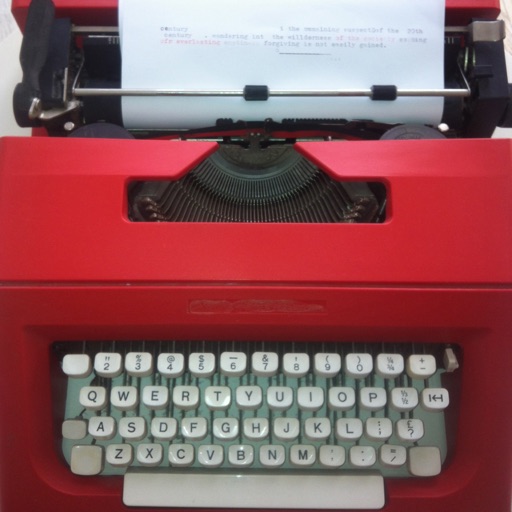
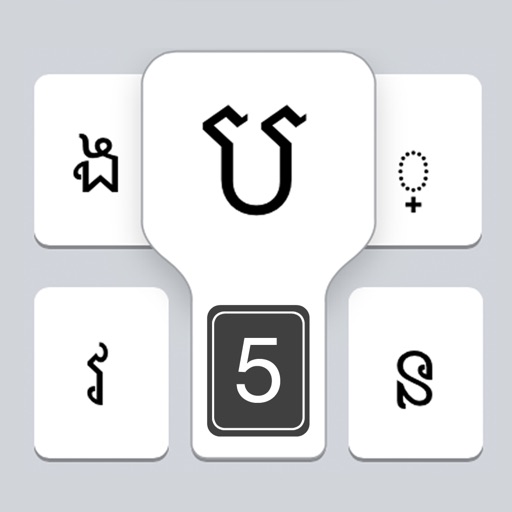
The app provides a realistic typewriter experience on the user's iPad. It offers features such as email by image or text, a backspace key, multiple fonts, keyboard layouts, and ink ribbon colors.
Read and annotate PDFs with highlighting, freehand drawings, and audio notes. Edit text, sign documents, and convert to other formats. Organize files, merge or split documents, and insert pages or hyperlinks. Import from computer or cloud.
Edit text with grammar and spell check. Adjust tone for different contexts. Translate between 99+ languages. Use as an across apps or in a dedicated workspace.
Create mood boards with customizable layouts and fonts. Choose background colors and add images from Google or Unsplash. Edit boards, export as PDF, and share via Instagram Story.
Text editing with live Markdown syntax highlighting and HTML preview. Sync across iPad, iPhone, and Mac via iCloud. Use typewriter mode for focused writing. Track word, symbol, and sentence counts. Support tags and document browsing.
Take notes on unlimited pages with templates like blank, lined, and grid. Import images and PDFs easily. Cut and move content with scissors tool. Use ruler and protractor for shapes. Access scraps via sidebar drawer.
Installer allows users to install and use 26 fonts across compatible applications. Fonts can be tested directly in Word, Excel, PowerPoint, Numbers, Keynote, Pages, and Cricut. Users can share text via messages or social networks after selecting a .
The app syncs handwritten notes, sketches, and diagrams from a Livescribe 3 or Aegir smartpen to an iPhone or iPad. Users can organize, tag, and convert notes to text for tasks, reminders, and events.
Write notes and documents with a natural handwriting experience. Customize fonts and colors. Save and organize notes. Export as PDF or image. Share notes directly. Sync across devices.