
Khmer Keyboard+TextPad Free
Lin BUNCHAN
Type, save, and share Khmer text.
The app provides a Khmer keyboard for iOS users to type and save Khmer text. Users can send Khmer text via email, copy it to other applications, and print it.
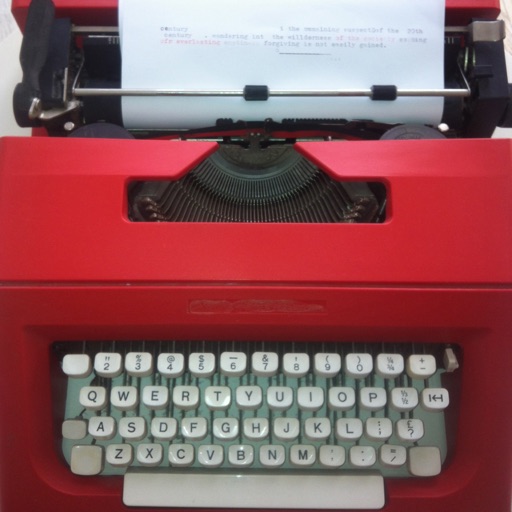
Focus on writing, not editing.
The app allows users to write on their iPad or iPhone like a typewriter. It separates writing from editing to help users focus on their ideas.
Showing 81–100 of 1,000 ranked alternatives.
Lin BUNCHAN
Type, save, and share Khmer text.
The app provides a Khmer keyboard for iOS users to type and save Khmer text. Users can send Khmer text via email, copy it to other applications, and print it.

Arshad k v
Type in English, get Malayalam text
Type English text to convert to Malayalam using a transliteration keyboard. Support offline conversion without internet. Use voice-to-text for spoken Malayalam input. Sync with apps for text output.


AMuseTec Co., Ltd.
Read PDFs, annotate pages, share notes
Read and navigate files with fast page-turning and quick display. Annotate with finger-writing, sticky notes, text, and drawing tools. Share notes via email or cloud services.

Giang Le
Type with custom fonts and instantly
Font allows users to apply 100+ fonts and text styles to typed content. Customize font appearance and receive regular updates. Manage entries with one-tap shortcuts for phrases, links, and emojis. Toggle copy and instantly.


Matthew White
Edit handwritten notes and sketches digitally
Edit and navigate handwritten documents with vector drawing tools. Organize files using Apple's document browser. Sync with iCloud and other cloud services. Save in open SVG format for compatibility with other vector graphics software.

Anastasiya Gorban
Record thoughts and track progress
Helps users using AI to enhance creativity and mental wellbeing. Users can record stream of consciousness entries, set reminders, and track writing habits. The provides an ad-free interface for consistent practice.

Beijing Yima Network Technology Co., Ltd.
Create, edit, and scan PDFs
Create and edit PDFs by scanning documents, combining files, or importing images. Add pages, delete or reorder content, and apply markup. Export with password protection and extract pages or images.

Raymond Hill
Block ads and trackers automatically
Block ads and trackers using predefined rulesets like EasyList and EasyPrivacy. Customize filters by enabling additional rulesets via the options page. Prevent CSS and JS injection-based content filtering without requiring a background process.

Daniel Widjaja
Note taking writing and markdown editing.
The app synchronizes text and markdown files between devices via Dropbox. It offers a distraction-free writing experience with customizable themes and fonts, and includes features like word counts and file organization.

ARC MOBILE BILISIM TEKNOLOJILERI REKLAMCILIK LIMITED SIRKETI
Text instantly across apps
Simplifies text repetition by -saving frequently used phrases. Allows quick insertion into messages across platforms. Supports Instagram, Snapchat, Facebook, WhatsApp, Telegram, TikTok, iMessage, and other apps. Enables one-tap copying of saved text.

Saturday Technologies Incorporated
Write, read, and explore stories
Write stories in chapters or sections with a rich text editor. Export as A4 PDF or plain text. Convert short stories to high-quality audio . Use AI tools for structural and grammatical improvements.

Flairify LLC
Type and test your speed on any
Learn to type on iPad, iPhone, or iPod Touch with structured lessons. Practice with free tests and sample lessons. Unlock full content with a one-time in- purchase. Track progress and improve speed through advanced lessons.

Deliverance Software Ltd
Zoom in, sketch, and annotate anywhere
Take notes and sketch on virtual paper, PDFs, Word, Excel, PowerPoint documents, and images. Zoom in and out freely without limits. Use a free pen and purchase additional pens. Customize paper sizes and styles without restrictions.

Shintaro Morikawa
Insert line breaks in text inputs
Enable line breaks in text by copying formatted content from the . Paste into social media text fields for proper formatting. Save drafts for later editing. Adjust text spacing and alignment. Share formatted text directly to supported platforms.

Apps are ranked by functional similarity, category fit, rating confidence, and popularity.