The app allows users to create patterns by layering motives, selecting colors, and adjusting their position, scale, or rotation. The resulting patterns can be shared, used as backgrounds, or printed.
by Dominik Wei-Fieg★ 3.02 ratingsPhoto & VideoFreeData updated 2026-10-04
Create collages using free layouts and grids. Add stickers, text, and backgrounds. Edit photos with cropping, flipping, and layering. Save and share finished collages or stories. Generate wallpapers from edited images.
The app allows users to create spiral drawings with colorful gears and rings. Users can import photos, use multiple drawing modes, and save or share their creations.
Create images by combining Genmojis, Emojis, and Stickers on a flexible . Add photos or colors as backgrounds. Scale, rotate, and align elements precisely with smart grid and snapping. Export transparent PNGs for use on any platform.
The app displays user pictures in a virtual gallery. Users can add pictures from albums, arrange them on walls using gestures, and add frames with custom depth, width, and color.
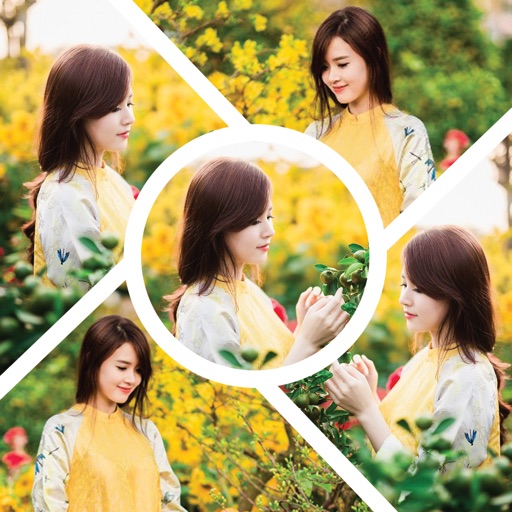
The app allows users to create photo collages with built-in overlays and filters. It offers photo corrections without complex software, making photos stand out quickly.
Save patterns, control lighting programs, set on/off
Control and customize holiday lighting with color mixing and motion settings. Save favorite patterns for quick access. Schedule automatic on/off times for your lighting system.
By allows users to select threads and tap to place stitches on patterns. Import images to create custom - designs. Complete puzzles to reveal hidden artwork. Share finished pieces with others.
Create and customize featuring gradient palettes. Select from patterns, multi-, vibrant, or pastel gradients. Unlock all images a single in- purchase. Restore previous purchases. No subscriptions required.
Create greeting by placing photos in flower and nature . Select from various pre-designed or use your mobile gallery or camera. Adjust photos with zoom, rotate, and move gestures. Save and share through social networking apps.
Remove backgrounds from photos using AI technology. Replace backgrounds with photos from the library, captured images, or selected colors. Adjust settings for precise edits. Export edited images directly.