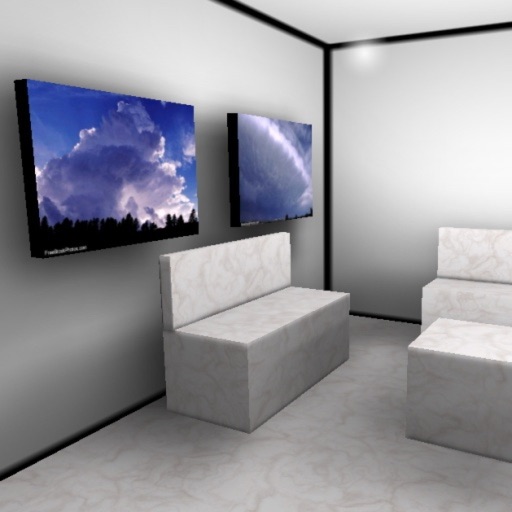
The app displays user pictures in a virtual gallery. Users can add pictures from albums, arrange them on walls using gestures, and add frames with custom depth, width, and color.
by Christoph Arnold★ 3.65 ratingsPhoto & Video$9.99Data updated 2026-09-24
The app allows users to create picture collages on their iPhone. Users can arrange pictures in various styles, add text, and customize individual picture placement within frames.
Customize profile pictures for Instagram, LinkedIn, WhatsApp, Facebook, and other social networks. Add images, select color and width, adjust inset, and add custom badges. Export edited images for use across platforms.
Edit photos with filters, cropping, and adjustments. Add text, stickers, and frames. Create collages by combining multiple images. Share directly to social media. Apply effects and choose from various fonts and stickers.
The app allows users to create picture collages with various styles like Picture Pile, Picture Grid, and Mosaic. Users can add text, exchange pictures by dragging, and pan or zoom individual images within frames.
Create collages using 100+ 2D/3D frames. Add images from gallery or camera. Adjust opacity and rotate photos. Include text with custom fonts and colors. Apply effects to enhance visuals. Export and share finished collages.
Edit photos by adding , stickers, and text. Create collages and cards with customizable designs. Upload images from the gallery or take new photos. Choose from pre-designed and stickers. Add notes and messages to photos.
View and edit images and videos with cropping, filters, and adjustments. Password-protect media files and organize them into folders. Sync media across devices for remote access. specific content for added security. Share media directly from the .
Create collages by arranging photos in a . Choose from multiple templates and effects. Adjust layout, add text, and apply filters. Export collages in high definition and share directly.
Photos and videos using AI to expand images, remove objects, and replace or blur backgrounds. Enhance image quality, restore old photos, and create AI-generated scenes. Share edited content directly to Instagram.
Create -themed collages using 100+ available frames. Add text with customizable fonts and colors. Adjust opacity and rotate images. Select photos from gallery or camera. Apply effects to enhance visuals.
With filters, cropping, and adjustment tools. Apply beauty enhancements and double exposure effects. Use color splash and resize images. Access frames and story templates. Change resolution and export in multiple formats.
The app provides a secure personal photo gallery for users to organize and protect their pictures and videos. It allows for password-protected albums and the option to hide content, with features like captions and pinch-to-zoom gestures.
The app allows users to create photo collages and interactive slideshows. Users can import pictures and arrange them using multi-touch gestures on a virtual table.
Create custom wall art by selecting and arranging photos into collages. Print photos as lightweight that adhere to walls without tools. Rearrange or remove easily for flexible display options.
The app combines multiple photos into one framed picture. Users can add patterns, stickers, text, borders, filters, shapes, and frames to their photos.
Create photorealistic art mockups using customizable frames and advanced cropping tools. Choose from 500+ HD room interiors to stage . Add text or watermarks and export images for personal or commercial use.