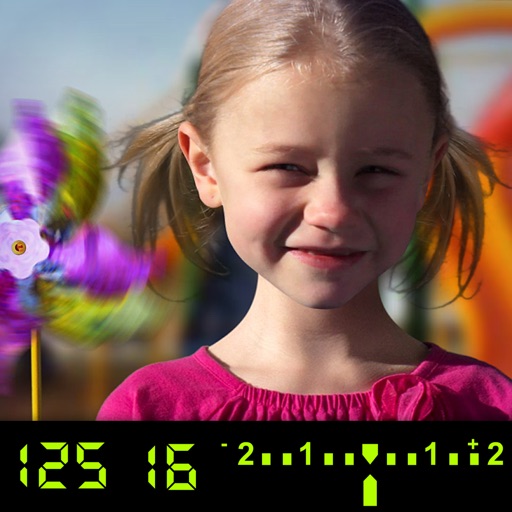
The app visually explains DSLR camera controls and allows users to experience the effects of various settings. It provides instant feedback and advice on user settings, making it a tool for learning photography.
by Tuitive, LLC★ 3.613 ratingsEducation$1.99Data updated 2026-11-02
Record videos and photos with professional tools including focus peaking, false color, and histogram. Support PRORAW and RAW/DNG export. Adjust audio metering, custom resolutions, and frame rates. Use eight modes including slow motion.
Edit photos with AI cartoon filters, -to-sketch conversion, and mosaic art creation. Remove backgrounds, add drip art, and create collages. Save and share edited images directly.
Allows manual adjustment of exposure, focus, shutter speed, and ISO. It offers a minimalist interface with an option to hide controls for mirroring. Users can the via AirPlay to devices like Apple TV or software receivers.
Teaches children to correctly using animated step-by-step guidance. Features include drawing animals, flowers, and fantasy characters. Includes difficulty levels with assisted drawing to focus on stroke order and direction.
The app allows users to capture long exposure, light trail, and low light photos. It offers features for adjusting exposure, creating motion trail effects, and modifying brightness, contrast, and color after shooting.
For photographers without a built-in . Take readings from camera preview. Adjust measurement area by zooming. Switch between multiple rear cameras. Tap points of interest for precise exposure settings.
Allows users to apply effects to backgrounds. Select images from the gallery or capture new photos. Use multiple blurring tools to adjust the effect. Export edited images directly.
Edit photos with exposure controls for shutter speed and ISO. Adjust focus with focus peaking and focus settings. Shoot in 48MP resolution on supported devices. Save in RAW format and apply post-processing adjustments. View RGB and luma histograms.
Learn through animated explanations and interactive simulations. Explore sorting techniques like Bubble Sort and Merge Sort. Dive into clustering and encryption concepts. Test understanding with Sim Mode features.
Edit photos with 60+ high quality filters and 10 types of grain effects. Adjust exposure, shadows, and contrast. Add bloom for highlights and soften the image. Export edited photos in various formats.
Read and scroll text on-screen using voice commands or manual control. Adjust text size, font, and speed. Import scripts from files or copy-paste. Record audio and with live text overlay. Share finished videos directly to social media or email.
The app allows users to create DSLR-quality photos with blurred backgrounds and bokeh effects. It features an easy editing process with a selection tool and loupe for detail-oriented editing, and users can adjust the bokeh level.
Enables manual adjustment of settings such as focal length, exposure, ISO, shutter speed, and white balance. Users can capture photos and videos with precise control.
Backgrounds with a few taps. Replace or remove backgrounds instantly. Apply effects like , mosaic, and zoom. Customize edits with adjustable settings. Export edited photos in various formats. Share directly from the .
Create artistic images with single-tap camera effects and professionally designed filters. Adjust brightness, contrast, and tone curve. Blur and focus images. Rotate, crop, and resize photos. Add text and fun stickers.