
PixelLab: AI Photo Editor
Edit photos, add drip art, create collages
PIYUSH SHIYANI
iPhone Screenshots



Description
Edit photos with AI cartoon filters, -to-sketch conversion, and mosaic art creation. Remove backgrounds, add drip art, and create collages. Save and share edited images directly.
Create stunning edits with PixelLab: AI Photo & Collage!
Transform your photos into eye-catching masterpieces with the latest AI technology. PixelLab makes it easy to create beautiful collages, erase backgrounds, add drip art, cartoon yourself, and much more — all in one powerful app!
Main Features:
• AI Cartoon Filters – Turn your photo into a cartoon or sketch in seconds
• Photo to Sketch – Instantly convert your photo into detailed sketch art using AI
• Mosaic Art – Transform any image into a stunning AI-powered mosaic
• Background Remover – Remove backgrounds automatically with smart AI
• Auto Blur Background – Automatically blur backgrounds and adjust blur opacity manually
• Drip Effects – Add trending drip art and wing effects
• Photo Collage Maker – Create stunning collages with 100+ layouts
• Stickers & Frames – Explore 10K+ stickers and stylish frames
• Splitter Tool – Split your photo into multiple parts to decorate your social media profile
• Photo to PDF – Merge images into a PDF with customizable margins and layout (horizontal or vertical)
• Tattoo & Wing Editor – Add realistic tattoos or angel wings to photos
• Pixel Camera – Capture photos with dust, light, gradient overlays, timer & more with adjustable opacity
• Photo Editing Tools – Add text, adjust brightness, blur backgrounds, and more
• Adjust Photo Parameters – Fine-tune brightness, contrast, saturation, warmth, sharpness, exposure, vibrance, highlights, shadows, and tint
• Blend Effect – Blend two photos seamlessly using AI-powered effects
• Custom Filters – Create your own photo effects
• AI Filters – Artistic effects that transform your images
• Overlay Effects – Add double exposure, smoke, and neon overlays
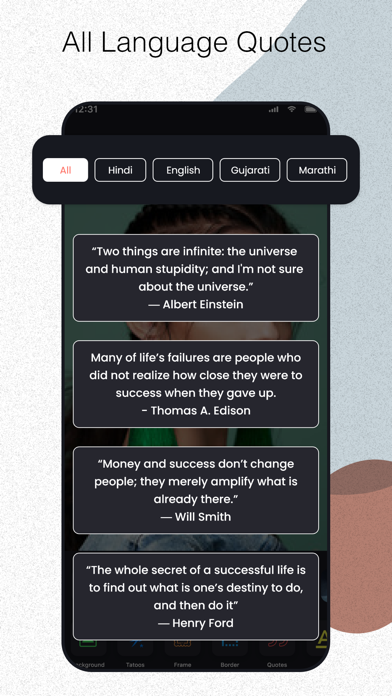
• Lettering & Quotes – Explore 1000+ ready-made lettering styles and quotes with editable gradient colors
• Advanced Text Editor – Customize text with fonts, sizes, line spacing, shadows, colors, and 1000+ categorized quotes
• Tutorial Section – Learn how to use every feature with helpful tutorials
• Object Removal & Resolution Enhancer – Select and remove unwanted objects instantly with AI-powered precision. Plus, upscale and enhance your photos for sharper, high-resolution results.
• AI Face Glow – Automatically enhance skin, brighten facial features, and apply a natural glow to face, neck, and hands using smart AI
Why PixelLab?
• Easy-to-use interface
• Regular updates with new filters and tools
• Lightweight and fast performance
Whether you're creating a cartoon version of yourself, designing a photo collage, or simply enhancing your images, PixelLab has everything you need!
Download PixelLab now and take your photo editing skills to the next level!