Apps Like BeeArtist PRO - Learn to Draw for iPhone and iPad
With animated step-by-step strokes
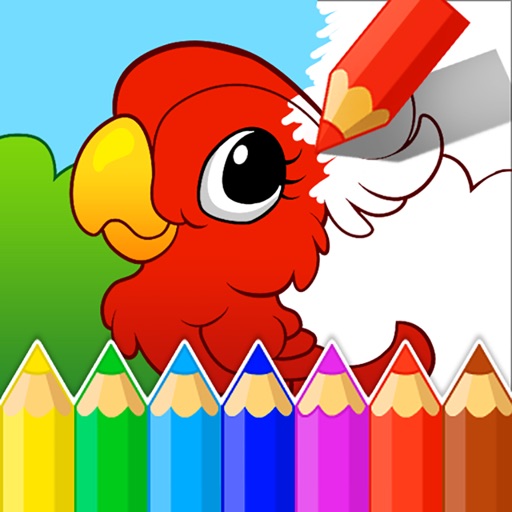
Teaches children to correctly using animated step-by-step guidance. Features include drawing animals, flowers, and fantasy characters. Includes difficulty levels with assisted drawing to focus on stroke order and direction.
by Parkel Soft SRL★ 4.631 ratingsEducation$4.99Data updated 2026-09-16
Teaches children to correctly using animated step-by-step guidance. Features include drawing animals, flowers, and objects with assisted strokes. Includes difficulty levels to practice sketch formation and fine motor skills.
Teaches letter shapes and pronunciation. Guides correct letter formation with start points, strokes, and direction. Includes difficulty levels for assisted . Allows to practice handwriting in a game-based learning environment.
And practice drawing pencil sketches on paper. Select and customize drawing tools. Follow guided tutorials to improve techniques. Save and review artwork progress. Adjust brush settings for different strokes. Share completed drawings digitally.
Teaches letter shapes and pronunciation. Guides correct letter formation with step-by-step strokes and direction. Includes difficulty levels for assisted . Helps recognize and practice pre-cursive and print block handwriting.
Coloring pages allow toddlers to draw and color in various themes. Pages include animals, dinosaurs, dolls, and more. Features include hand-eye coordination exercises, color recognition activities, and creative tools.
Children can color and draw with themed pages to develop fine motor skills. The includes drawing lessons, interactive characters, and sound effects. Users can switch between themed packs and save progress.
Use your phone camera to draw on any surface. Access templates for animals, cars, and nature. Utilize the built-in flashlight for better visibility. Share completed drawings with friends. Create art using augmented reality technology.
The app offers over 1000 games including coloring, drawing, toddler activities, and cooking. These games help children develop fine motor skills, hand-eye coordination, imagination, and creativity through engaging and educational play.
Use AR to and real-world objects. Trace or create images using augmented reality. Add layers and adjust opacity. Export drawings in various formats and share directly.
Explore historical events from different languages and sources. Navigate through today's events using arrows. Tap on events to access related links. Choose preferred sources from a list including Wikipedia.
View historical events, births, and deaths with detailed descriptions. Access full articles from Wikipedia. Filter by date or category. Supports multiple languages. Share events via social media. Set daily reminders for historical dates.
Characters, objects, and animals through step-by-step tutorials. Choose from various art styles including doodles and detailed illustrations. Compete in multiplayer battles. Save and share creations. Adjust brush settings and color palettes.
The app allows users to create animated glow art in 3D using various brushes and a full spectrum of colors. Users can pan, zoom, and spin their creations, record videos, and utilize symmetries up to 64.
Educational for preschoolers offers tracing activities with glowing letters and numbers. complete outlines to animate drawings like butterflies and rockets. Includes 100+ templates for creative play and learning.
Help the chicken collect gems to learn shapes and colors. Complete word puzzles by adding missing letters to practice spelling. Navigate levels with obstacles to improve focus and problem-solving skills.
Solve puzzles by drawing lines to complete shapes. Complete levels by connecting parts. Track progress through different difficulty stages. Share completed puzzles with friends.
Play by creating words with 7 letters on your rack and placing them on a 15x15 tile board. Boost scores by using special tiles. Customize game settings and play offline without internet.