The app offers tools for scale model builders, including paint charts and material catalogs. Users can mix paints, manage projects, and utilize an optional inventory module for tracking supplies.
by id6 Sarl★ 4.234 ratingsUtilitiesFreeData updated 2026-09-16
Browse paint charts from color standards and model kit manufacturers. Access scratch material catalogs. Create and share custom charts and catalogs. Mix paints based on base colors. Compute and display scaled measurements in real size or 3D.
Draw and paint images using customizable color pencils, pastels, and brushes. Choose colors freely and adjust settings for precise control. Save artwork to camera roll and share via Facebook or Twitter.
Convert photos into sketches or cartoon avatars using up to 20 image like pencil , color , and old movie style. Apply textures for added detail. Adjust settings for fine control. Export edited images directly.
Calculate costs and percentages for building projects. Estimate quantities needed for walls, floors, and roofs. Convert measurements between units. Track project budgets and adjust estimates in real time. Export calculations to PDF or email.
Control and design exterior accent and holiday lights via mobile. Access pre-set programs for holidays like Christmas, Easter, and Halloween. Create custom sequences using features like Chase and Paint. Sync with to manage lighting effects remotely.
Edit photos by recoloring specific areas using finger painting or selection tools. Change colors of objects, clothing, or eyes. Convert photos to black and white with retention. Share edited images directly to Instagram.
Track paints from over 25000 colors across multiple brands. Create custom paint sets for models. Add paints via barcode scan or manual entry. Save desired paints to a wish list. Find color matches using built-in color tools.
Create and manage paint palettes with advanced color picking and brand comparisons. Mix colors using a paint mixer tool. Store and organize palettes, group them, and add notes for reference.
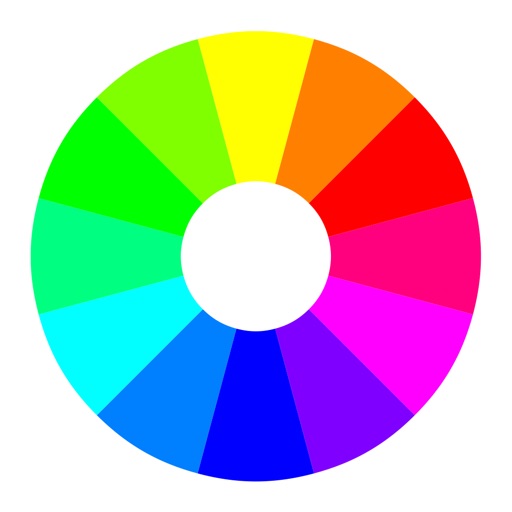
Select a starting color using the color wheel. Find matching paints from various manufacturers. Discover complementary color options. Save and share schemes for wargaming.
Community info, pay assessments, submit requests, track
Community information, rules, and guidelines. View and pay assessment balances. Submit and track architectural and maintenance requests. Receive pop-up alerts. Update address and sign up for electronic statements. resident directory and FAQs.
Connect with others to draw in real time. Create and share drawings instantly. Customize canvas with background photos. Place artwork on lock screen. Start sessions without accounts or personal data.
Allows users to browse paint charts from color standards and manufacturers. It matches from the full database or preferred selections. Users can match colors from photos in their library or via live camera.
Teaches drawing through interactive lessons and animated strokes. Breaks down drawings into simple shapes. Allows users to practice on a digital canvas. Offers guidance for both beginners and experienced artists.
Create glowing art by applying effects to photos or existing images. Adjust brush size and glow intensity. Save creations to the Photo Library. Email postcards globally. Use multiple undo levels and mix colors for custom palettes.