Apps Like Photo Sketch - Doodle Effects for iPhone and iPad
Convert photos to sketches and avatars
Convert photos into sketches or cartoon avatars using up to 20 image like pencil , color , and old movie style. Apply textures for added detail. Adjust settings for fine control. Export edited images directly.
by 惠英 印★ 4.49,301 ratingsProductivityFreeData updated 2026-09-08
Convert photos into sketches or cartoon avatars using 50+ effects like , Memory Style, and Old Movie Style. Apply 50+ cartoon effects to create humorous or artistic images. Save and share the edited photos directly.
Take with text, audio, and attachments like PDFs, photos, and web links. Scan documents and include handwritten sketches. Organize with checklists and sync across devices using iCloud.
Capture thoughts, notes, and ideas with a digital notepad. Organize plans, create sketches, and save memos. Sync notes via OneDrive for access across devices. Track errands and manage tasks efficiently.
Animated movies using frame-by-frame . Import and edit vector graphics. Access tutorials for learning techniques. Export animations in various formats. Collaborate with others through community features. Adjust timing and add sound effects.
Convert photos into artistic styles with like water painting, oil painting, crayon, and charcoal. Apply to create sketches or 3D sculptures. Edit images and share the results directly.
Take handwritten or typed with digital ink and text tools. Annotate PDFs, textbooks, slides, and images. Record audio and combine with sketches, diagrams, and highlights. Search and organize content for easy retrieval.
Create digital boards to organize ideas, projects, and research. Add photos, videos, audio files, documents, PDFs, web links, and stickies. Sync boards across devices using iCloud.
Digital sketches and collages with intuitive gesture-based tools. Add and arrange multiple photos on a single page. Cut, paste, move, and rearrange elements easily. Save and share creative projects directly.
, paint, and doodle on a digital whiteboard. Share artwork with friends. Use stickers, brushes, and shapes to enhance creations. Add text and export drawings in multiple formats.
Create designs with a sketchpad interface. Select from modular patterns and fabric textures like wool, linen, and velvet. Choose geometric, natural, abstract, or ethnic prints. Customize colors and apply effects.
Write with text, images, sketches, and audio. Add files like PDFs and spreadsheets. Create checklists and to-dos. Sync across devices and cloud. Capture moments and record audio directly.
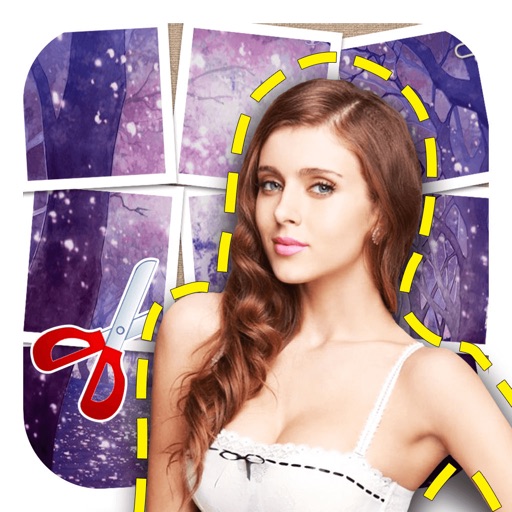
The app offers intelligent cutout software for easily removing persons and objects. Users can create identification photos, parody pictures, and save PNG images with various material options and background styles.
Create vector-based sketches and designs on an infinite canvas. Sketch plans, make notes, and draw storyboards. Organize ideas with mindmaps and doodles. Iterate and experiment with designs. Export and share work.
Detailed artwork with customizable brushes and specialized toolsets for sketching, painting, and doodling. Access advanced AI features to enhance creative workflows. Export and share finished projects directly.
Create intelligent sketches and drawings with layer management. Add markup for communication. Work through all design phases with fluid tools. Support for architectural and industrial design workflows.
Create anime-style drawings with step-by-step tutorials. Learn to characters and scenes through guided lessons. Export sketches and access printable templates for practice. Share artwork directly from the .
Create realistic clothing mockups using AI-generated images and 3D models. Upload designs or sketches to generate photo-real product images. Choose from various mockup templates and adjust lighting and angles.