Apps Like Color Changer-Coloring Editor for iPhone and iPad
Colorize photos and apply effects
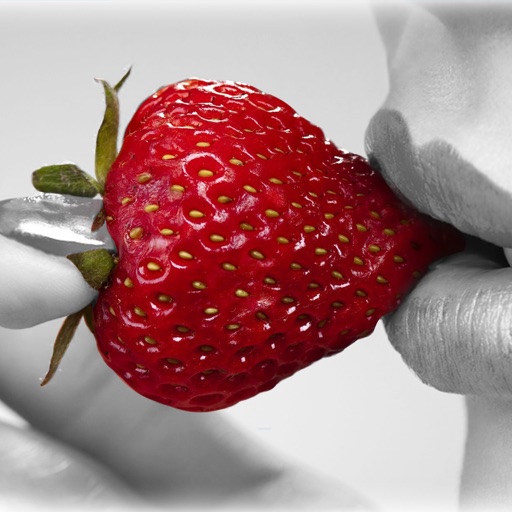
Edit photos by recoloring specific areas using finger painting or selection tools. Change colors of objects, clothing, or eyes. Convert photos to black and white with retention. Share edited images directly to Instagram.
by 丽譞 牛★ 4.52,712 ratingsReferenceFreeData updated 2026-09-09
The app allows users to recolor photos and apply color effects. Users can choose from 66 vivid colors or black and white to decorate images, with options to adjust brush size, intensity, and translucence.
Convert to grayscale and highlight a specific . Tap to select the to emphasize. Preserve detail and apply effects using advanced computer vision. Export edited images directly.
Convert photos to grayscale and selectively specific areas using finger touch or custom colors. Draw with zoom and rotation for precision. Use a magnifier for detailed work. Undo mistakes or redraw in grayscale. Export edited images.
Create custom wallpapers with scaling and resizing options on various backgrounds. Choose from color, gradient, pattern, bokeh, and text effects. Apply parallax effect for all iPhone and iPad devices.
Convert photos into sketches or cartoon avatars using 50+ effects like , Memory Style, and Old Movie Style. Apply 50+ cartoon effects to create humorous or artistic images. Save and share the edited photos directly.
Edit photos with layers, filters, and brushes. Adjust brightness, contrast, and color. Add text and stickers. Export in multiple formats and share directly.
Edit photos with selective colorization effects. Adjust images using pinch to zoom and pan for detailed editing. Apply AI-powered styles automatically. Convert images between grayscale and color. Share via email or album.
Take portrait selfies with front and rear camera switching via tap or shake. Use night mode for low-light shots. Auto mirror and timer functions available. Create grid collages with 1:1 and 4:3 layouts using 1 to 9 grids.
Convert photos into sketches or cartoon avatars using up to 20 image like pencil , color , and old movie style. Apply textures for added detail. Adjust settings for fine control. Export edited images directly.
Edit photos to enhance clarity, colorize black-and-white images, and refine facial expressions using AI. Transform photos into HD quality with one tap. Delete duplicate or similar photos and videos quickly to free up space.
FACE & BODY TUNE PHOTO EDITOR, SOCIETATEA CU RASPUNDERE LIMITATA
Edit photos, remove objects, apply filters
Edit photos by removing objects with the eraser tool. Apply 25 filters for styling. Add colored borders using the border tool. Recolor specific elements like clothing. Overlay bokeh and sparkles for enhanced visuals. Share edited photos directly.
Create and edit ID photos with beauty filters, background color changes, and gender-specific dress options. Select square or rectangular shapes. Save and share edited photos directly.
Edit photos by cutting and pasting faces, removing backgrounds, and deleting unwanted people. Add missing faces to photos. Use the silhouette head tool to select and edit elements. Export edited images directly.
Arthur Eduardo Skaetta Alvarez Desenvolvimento de Software LTDA.
With one touch
Using AI to add color to black and white images. Import from camera or photo library. Adjust color intensity with a slider. Save or share the edited image.
The app offers tools to enhance photos, remove blemishes, and apply various effects. Users can combine photos into collages, add stickers and frames, and adjust image properties like brightness and contrast.
Edit photos by applying textured overlays and effects. Choose from a variety of artistic filters and textures. Save and share edited images directly. View user-generated examples on Instagram.
Old photos by removing blur and sharpening details. Add realistic color to black and white images. Eliminate scratches, tears, and damage. Improve lighting and exposure for clearer results. Powered by Google Gemini AI for high-quality enhancements.
Edit photos with body shaping tools, facial enhancements, and resizing features. Adjust specific areas using finger gestures. Undo changes and save or share edited images.