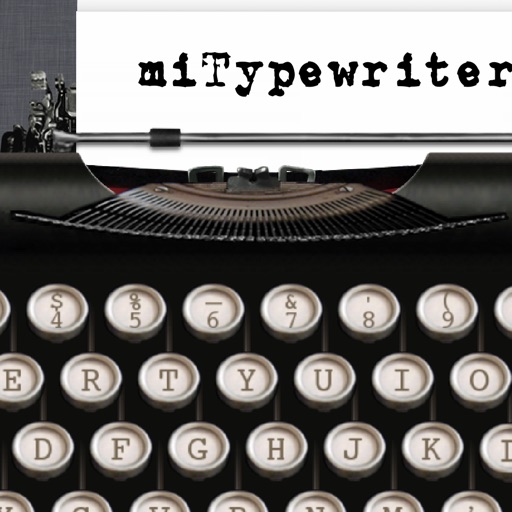
The app presents a typewriter interface on an iPhone or iPod Touch. Users can manage documents, email content as text or images, and utilize features like a backspace key and external keyboard support.
by Teruaki Onoda★ 4.47 ratingsLifestyle$1.99Data updated 2026-09-13
Allows users to access their last quickly for instant . It offers a fast touch pad and keyboard for efficient navigation. The interface is designed with a clean and user-friendly layout.
Control your TV using your iPhone as a . Connect once and the remembers your TV. Launch and control favorite apps. Use an intuitive interface with a fast keyboard. Auto-detects TVs on the same Wi-Fi network.
Customize text with colored icons, emojis, and decorative fonts in both Arabic and English. Share formatted text on social media. Use as a keyboard replacement for messaging apps. Apply visual effects and text art directly during typing.
Take notes, draw, and sketch using Apple Pencil. Annotate PDFs, Excel, Keynote, and Numbers files. Create lists, memos, and organize notes. Export notes in multiple formats.
And print documents and photos using the built-in scanner. Share or print files directly from the device. Supports printing with over 10,000 models including HP, Canon, Brother, and Epson.
Save your last for quick access. Launch instantly without installation. Use fast touch pad and keyboard for navigation. Features a clean, user-friendly interface for easy .
Offers basic, scientific, and programmer modes with history views. Users can share results via email or copy-paste values between apps. The supports iPhone, iPad, and iPod Touch devices.
Control Smart TV with iPhone as a . Type using full keyboard, navigate with precision touchpad, and launch apps like Netflix, Disney+, and Spotify. Adjust volume, change channels, power on/off TV, and navigate menus easily.
Organize tasks and reminders with . Add text, handwriting, drawings, photos, or audio recordings. Set built-in alarms. Attach files and share . Sync across devices. View progress with task lists and calendars.
Create messages with customizable fonts, backgrounds, and bubble designs. Choose from themed colors and patterns or generate random designs. Add effects and share messages with friends.
Control remotely with saved access, fast touch pad and keyboard input, and a clean interface. No installation required; launch and use instantly. Supports FireTV, FireCube, FireStick, and other .
Customize text appearance by selecting from 20+ unique . Apply across multiple apps including WhatsApp, Facebook, and Instagram. Access via the on-screen keyboard for typing in any application.
Manage models RM-D1000, RM-627C, RC3000E02, RM-L1030, and others. Access saved devices for quick use. via fast touch pad and keyboard. View models with a clean interface. Contact support for troubleshooting.
Customize with 80+ themes and 100+ including Gothic, Cursive, and Sans. Add frequently used text for quick access. Use 400+ Kaomojis, Emojis, and Symbols for messaging.