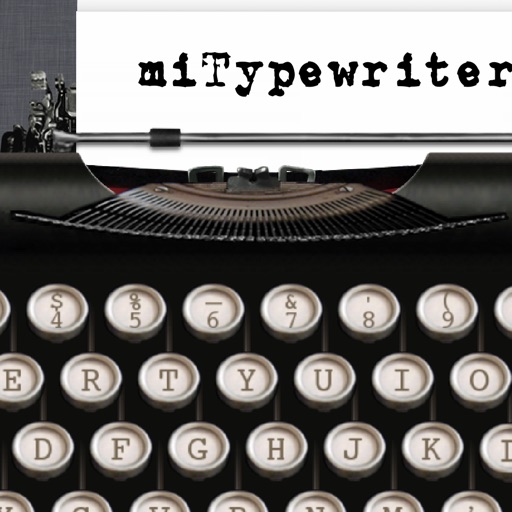
The app presents a typewriter interface on an iPhone or iPod Touch. Users can manage documents, email content as text or images, and utilize features like a backspace key and external keyboard support.
by Teruaki Onoda★ 4.47 ratingsLifestyle$1.99Data updated 2026-09-13
Customize keyboard with favorite images and . Add animated emojis, stickers, and GIFs. Choose from 40+ colors and themes. Replace default keyboard layout with personal designs.
LUNAPARK MEDYA INTERNET TEKNOLOJILERI SANAYI VE TICARET ANONIM SIRKETI
Fax documents your device
Scan documents using built-in scanner or select files iCloud, Google Drive, or Dropbox. Fax sent with a few taps. Add images camera roll. Send faxes directly device without needing a physical fax machine.
Calculate with dual-line display and multi-line input
A with dual-line display showing input and result. Supports multi-line equations and tap-to-move cursor. Saves calculation history with timestamps and labels. Allows emailing calculations and swiping to review past entries.
™ turns a mobile device into a control for computers. It includes a cross-device clipboard for text and image transfer. Users can navigate with a virtual , keyboard, and touchpad. Specialized control panels allow precise device management.
Provides Western, Eastern, Phonetic, and Typewriter layouts. Allows searching and translating within the . Automatically saves text and organizes it by date. Enables sharing via email, message, Facebook, Twitter, and clipboard.
Customize keyboard appearance with unique fonts and themes. Create personalized styles. Share custom fonts with friends. Edit messages with creative options. Change keyboard layout and design to reflect individual style.
Photos by selecting an image from the library or taking a new one. Add text with customizable fonts, colors, sizes, and borders. Position text on the and share the labeled image.
Convert plain text to various stylish with customizable options. Add decorative symbols and symbols. Input text directly using a built-in keyboard or paste from other apps.
Create avatars from selfies with customizable features. nd share funny . Customize keyboard elements with new themes weekly. Predict future face changes. Share avatars in chats for expressive communication.
Take portrait selfies with front and rear camera switching via tap or shake. Use night mode for low-light shots. Auto mirror and timer functions available. Create grid collages with 1:1 and 4:3 layouts using 1 to 9 grids.
Allows users to save and access documents offline via a web . It includes a for organizing , a viewer for iOS-supported document types, a photo , and a PDF reader. can be saved from the web and managed with passcode protection.
Perform calculations with a live voice input feature. Use an ergonomic key layout with an extra large "+" key and backspace function. Copy and send results via email. Support Retina displays on all iPads and iPhones. Enable Dark Mode.
A a log of all calculations. Displays input equations and results clearly. Includes backspace function. Allows adjustable keyboard size and number font size. Supports customization of decimal places, font size for , and display format.
Documents and photos from iOS devices. Select files from Dropbox or Google Drive. Edit with built-in tools. web pages, contacts, and supported formats like PDF and DOCX. Connect to over 10,000 wireless printers.
Customize appearance with themes, button shapes, and colors. Choose from six layouts and control all visual elements. View input and result simultaneously on dual-line display. Adjust settings for precise calculations.
Control computer functions with touch gestures, keyboard input, and movements. Transfer text and images between devices using the cross-device clipboard. Access specialized control panels for enhanced device management.
Translate text instantly while typing with support for over 100 languages. Customize layout and appearance. Integrate with messaging and social media apps for direct translation during conversations.