
zKeyboard: Fancy Themes
Style text with custom fonts and icons
Ahmed AlSadi
iPhone Screenshots





Description
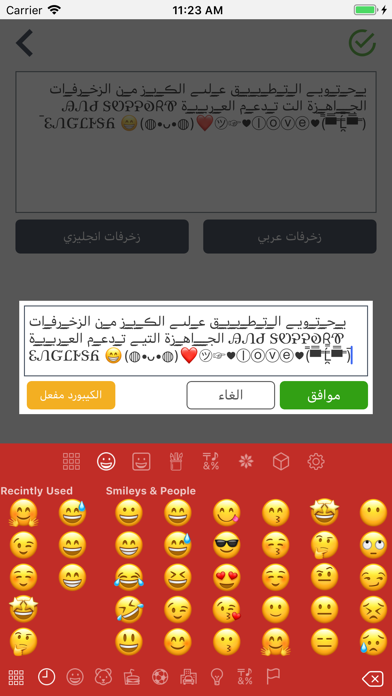
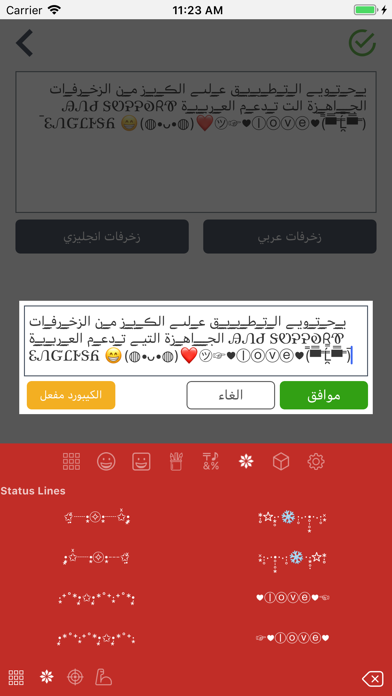
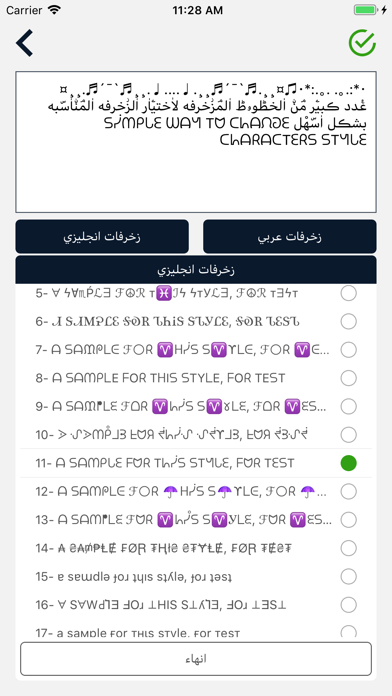
Customize text with colored icons, emojis, and decorative fonts in both Arabic and English. Share formatted text on social media. Use as a keyboard replacement for messaging apps. Apply visual effects and text art directly during typing.
Level up your social media presence, bios, and daily chats with Fonts Keyboard (zKeyboard) — the ultimate custom keyboard and aesthetic font studio for iPhone & iPad.
Type directly in cool fancy fonts, stylish calligraphy, and decorative scripts inside all your favorite apps (Instagram, TikTok, WhatsApp, Snapchat, Telegram, Messages, and Discord) without copy-pasting.
----------------------------------------
WHY TO CHOOSE ZKEYBOARD:
----------------------------------------
1. 100+ Fancy Fonts & Aesthetic Text:
• Type in trending font styles: Gothic, Cursive, Bold, Italic, Double Struck, Bubbles, Serif, and Comic.
• Beautiful Arabic calligraphy styles, decorative letters, and tashkeel diacritics.
• Stylish numbers, bracketed digits, and unique bullet points.
• Gamer Tag & Bio Generator for Instagram bios, TikTok captions, PUBG, Free Fire, and Roblox nicknames.
2. 150+ Luxury Keyboard Themes:
• Stunning pre-designed aesthetic themes: Sleek Dark Mode, Cyberpunk Neon, Pastels, Minimalism, and Vibrant Gradients.
• Metal Shaders & Live Animated Backgrounds for a dynamic, next-gen typing experience.
• Automatic Dark & Light appearance synchronization.
3. Custom Keyboard Theme Maker (Studio):
• Design your dream keyboard from scratch.
• Use your own gallery photos and wallpapers as keyboard background.
• Fully customize key colors, button shapes, opacity, blur effects, drop shadows, and font colors.
4. Unicode 16.0 Emojis, Kaomoji & Rare Symbols:
• Complete Unicode 16.0 emoji library with diverse skin tone selector.
• Huge collection of Japanese Kaomoji text faces and aesthetic emoticons.
• Thousands of rare symbols: Math notations, Egyptian hieroglyphs, black gaming symbols, and aesthetic arrows.
5. Seamless Multilingual Typing:
• Instant switching across languages: English, Arabic, Kurdish, Spanish, French, German, Portuguese, Italian, Russian, Japanese, and more.
• Integrated smart spell check, auto-capitalization, and custom user dictionary.
6. 100% Privacy Guaranteed:
• Your privacy is sacred. zKeyboard does NOT collect, track, or transmit any keystrokes, personal messages, or private data.
----------------------------------------
QUICK 30-SECOND SETUP:
----------------------------------------
1. Open iOS Settings > General > Keyboard > Keyboards.
2. Tap "Add New Keyboard..." and select zKeyboard.
3. Tap zKeyboard and enable "Allow Full Access" to unlock custom themes, sounds, and photo backgrounds.
Download Fonts Keyboard (zKeyboard) today and make every message a masterpiece.