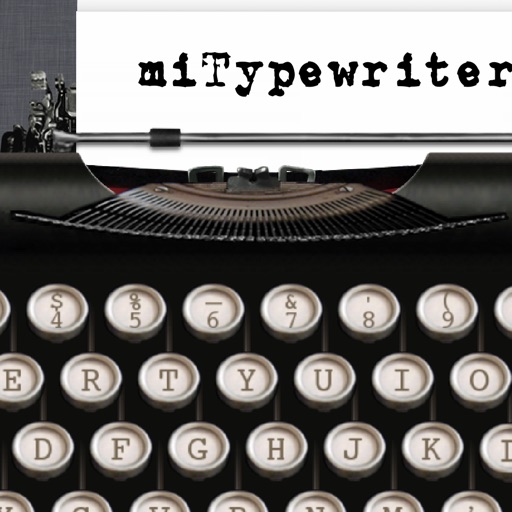
The app presents a typewriter interface on an iPhone or iPod Touch. Users can manage documents, email content as text or images, and utilize features like a backspace key and external keyboard support.
by Teruaki Onoda★ 4.47 ratingsLifestyle$1.99Data updated 2026-09-13
Calculate with a dual-line display showing input and result simultaneously. Use percentage and backspace functions. Choose from 18 color themes. Enter multi-line equations. Automatically format scientific expressions. Access via Split View.
Customize messages with over a dozen unique . Choose from a variety of styles or create your own. Apply to text in social apps without needing a full . Share styled messages to impress friends.
Measure surfaces for levelness and angles with high precision. Calibrate quickly and save settings automatically. Accurate to one tenth of a degree. Supports Retina displays. Align picture frames or check table surfaces.
Perform calculations with a freeform canvas and responsive results. Link numbers for instant updates. Calculate tips and discounts. View full history with clear formatting. Adjust settings for precision and layout.
Documents, photos, and files directly from an iPhone or iPad. Select from multiple printers. Scan documents with automatic border detection. Adjust settings including color, black and white, and advanced options.
APPIOS BILISIM TEKNOLOJILERI SANAYI TICARET LIMITED SIRKETI
Translate text, images, and speech
Translate text in real time within any using an AI-powered keyboard. Translate images by capturing text with the camera. Speak and listen to translations via voice input and output. Switch between over 100 languages instantly.
Customize keyboard fonts for text messages, stories, post descriptions, and social media bios. Choose from various font styles to personalize profiles and messages. Share custom fonts with friends and access regular updates.
Convert units across 30 categories with over 700 measurement options. Switch between light and dark mode. Use a backspace key for quick edits. Perform conversions with straightforward interface.
Sign documents with a real handwritten . Scan and clean signatures using phone camera. Save and share signatures securely. Integrate with files and contracts.
Edit text with formatting options like bold, italic, and lists. Attach unlimited files including images, videos, and tables. Use dark mode and iCloud sync. Organize content with gestures and drag reorder. Export to HTML, Markdown, PDF, and JPG.
The app allows users to customize messages with various effects including colored bubbles, texts, cursive fonts, and textured or themed backgrounds. Users can select colors for font and background, change fonts, and add special effects.
Items by dragging photos or text into customizable tiers. Create rankings for categories like video game characters or sports teams. Share rankings via generated images. Adjust tiers freely for personal or group evaluations.
Text editor for writing with RTF and TXT format support. Edit rich text with WYSIWYG formatting and plain text with Markdown styles. Save and open files across platforms.
Write and edit text with customizable templates, outline features, and formatting tools. Save drafts locally or sync across devices. Export in various formats and integrate with cloud storage.
Create and edit Markdown files with syntax highlighting and HTML preview. Export documents and integrate with Files . Use custom keyboard shortcuts and quick-format options. Support full undo/redo and revert-all-changes.
Create notebooks and moodboards with text, images, and links. Organize content using colors, sizes, and layouts. Save web bookmarks as graphical notes. Use multitouch gestures for quick note creation and editing.