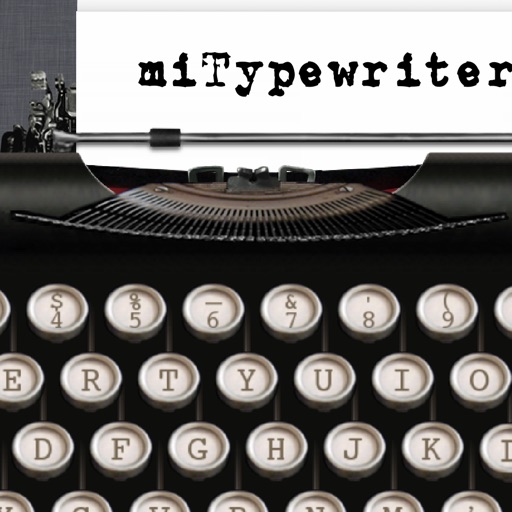
The app presents a typewriter interface on an iPhone or iPod Touch. Users can manage documents, email content as text or images, and utilize features like a backspace key and external keyboard support.
by Teruaki Onoda★ 4.47 ratingsLifestyle$1.99Data updated 2026-09-13
The app provides a realistic typewriter experience on the user's iPad. It offers features such as email by image or text, a backspace key, multiple fonts, keyboard layouts, and ink ribbon colors.
Choose from over 118 fonts including emoji, upside down, and bubble letters. Apply fonts to messages across Facebook, Twitter, WhatsApp, Instagram, and iMessage. Customize text appearance for social media and instant messaging apps.
Control playback and navigate TV content with simple menus. Use a virtual keyboard for text input. Access favorite apps and games quickly. Perform voice searches in supported regions. Manage playback controls directly from the mobile .
Custom font allows users to type with a variety of styles including cursive, gothic, bold, and bubble fonts. themes let users personalize the background with cute, cool, or stylish designs.
Write documents with a typewriter-style interface featuring sound effects and a delete key. Edit text, format paragraphs, and save files. Email, print, or share documents directly from the .
Print documents, photos, and webpages directly from iOS devices. Scan files and share content via email. Connect to printers remotely for printing from anywhere. Supports Microsoft Office and PDF formats.
Type emojis, symbols, and emotions directly without copy-pasting. Switch between 108 fonts for different styles. Use text arts and stickers with single-click access. Customize themes for personalized appearance.
Type with customizable fonts, GIFs, and stickers. Choose from hundreds of fonts and personalize themes, colors, and effects. Send styled messages in chats, bios, and social media.
Create and customize slimes with various shapes like ball, ring, star, heart, and flat. Add 3D decorations that move and rotate realistically. Choose from glow-in-the-dark, clear, crunchy, and fishbowl types. Include ASMR sounds for stress relief.
Calculate with dual-line display and multi-line input
A with dual-line display showing input and result. Supports multi-line equations and tap-to-move cursor. Saves calculation history with timestamps and labels. Allows emailing calculations and swiping to review previous entries.
Type with customizable , access Kaomojis, and use a pasteboard for quick text insertion. Spell check suggestions are available. Switch instantly and personalize the layout.
Calculate with a dual-line display showing input and result simultaneously. Use percentage and backspace functions. Switch between 18 color themes. Enter multi-line equations. Automatically format scientific expressions.
Choose from over 115 fonts and customize text with emoji, upside down, or bubble styles. Access bonus keyboards including Typewriter and Gold Digger. Share text with styled fonts and unique formatting options.
Documents, notes, photos, receipts, and books into clear PDFs, JPEGs, or Word files. Use OCR to convert images into searchable text. Export and share scanned content directly.
Perform calculations a scientific featuring pi, exponents, square root, negative numbers, and logarithms. View calculation and adjust decimal places or use thousands separators. Customize keyboard colors and sounds.
Allows quick access to features with saved settings for faster use. Enables touch pad and keyboard input for efficient navigation. Features a user-friendly interface for simplified interaction. Supports direct functionality without installation.
Save your last layout for quick access upon reopening. Use a fast touch pad and keyboard for swift navigation. Features an intuitive design with a clean and user-friendly interface.
Models and cast devices with saved last access, quick touch pad and keyboard inputs, and a streamlined interface. Manage devices without installation, and contact support for troubleshooting.
Create and manage calendars with customizable themes and layouts. Add events, set reminders, and sync across devices. Share calendars with friends and collaborate in real-time. Track tasks and deadlines with intuitive scheduling tools.
Write and organize ideas with interactive checkboxes for task tracking. Create and reorder to-do lists with drag-and-drop functionality. Check off completed tasks and manage shopping lists, daily chores, and project tasks.