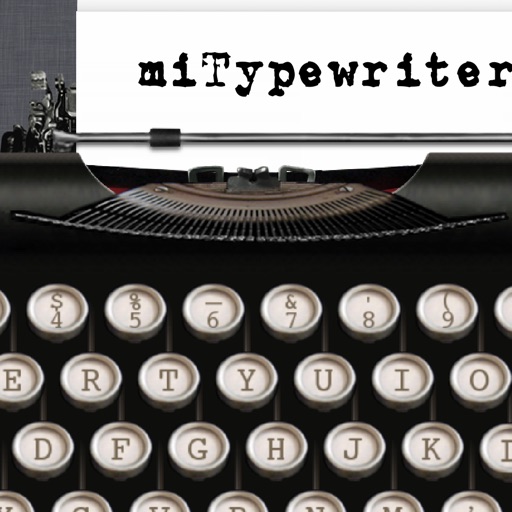
The app presents a typewriter interface on an iPhone or iPod Touch. Users can manage documents, email content as text or images, and utilize features like a backspace key and external keyboard support.
by Teruaki Onoda★ 4.47 ratingsLifestyle$1.99Data updated 2026-10-25
Calculate final grades by inputting current scores and weight. Determine required score for a target grade. Adjust value and view calculated results instantly. Support for Retina displays and 64-bit devices.
The app provides a web browser with download capabilities for various file types. It includes a file manager for organizing downloaded content and viewers for images, documents, audio, and video.
Files, photos, and text directly from your phone using a wireless . Scan and convert documents with OCR technology. Manage and organize scanned files. Share printed or scanned content via email or cloud services.
The app offers unique keyboard themes inspired by real-life objects and imagination. Users can experience typing with distinct sounds and visuals, with more features planned.
Documents, websites, and photos directly to Wi-Fi printers. Choose from various layouts and customize printouts. Support includes PIXMA MP990, MP640, MP560, and MX340 series. Design and create custom printouts with layout options.
Display messages in large, clear text with automatic resizing. Save all cards permanently and access favorites quickly. Swipe to navigate and shake to save or erase messages instantly.
Display game numbers and prizes on the screen. Choose from 50 patterns or use custom ones. Select from 14 background colors. Call numbers manually or automatically. Use text-to-speech for called numbers. Connect via HDMI or AirPlay to a TV.
The app presents the history of the red button on the user's iPhone or iPod. It explores doors that should not be opened and secrets that should not be told.
Print documents and photos directly from mobile devices using ePrint and AirPrint. Scan and save documents with an integrated scanner. Use OCR to convert text from scanned images. Access files from iCloud and Google Drive.
Create stickers from photos with automatic background removal using face detection. Crop and erase areas easily. Add text, emojis, and decorate with borders. Export stickers for use in messaging and social media apps.
Search and connect to compatible printers via Wi-Fi. documents, photos, webpages, and notes directly from your device. Support multiple models from various manufacturers. Share and saved files or web content with one tap. Manage settings and queue.
Visualize layout changes across devices and orientations
Visualize how Size Classes, margins, and safe areas adjust across device orientations and iPad multitasking. View layout changes with Dynamic Type size variations. Browse SF Symbols data sets across iOS versions with localization and name changes.
Create and save multiple timers with customizable settings. Set time limits for color changes and thresholds. Adjust colors and animations. Track elapsed time with inverted colors after reaching zero. Control timers with simple touch gestures.
Type language using a customizable keyboard layout. Support swipe gestures for faster typing. Allow custom key arrangements. Enable text prediction and autocorrect. Save and switch between multiple keyboard layouts.