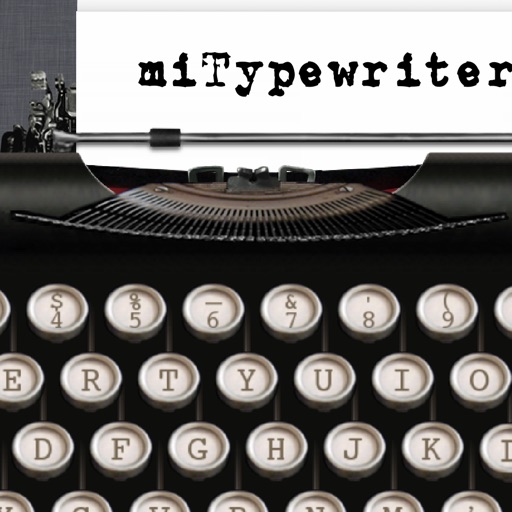
The app presents a typewriter interface on an iPhone or iPod Touch. Users can manage documents, email content as text or images, and utilize features like a backspace key and external keyboard support.
by Teruaki Onoda★ 4.47 ratingsLifestyle$1.99Data updated 2026-09-13
Create and edit drawings using various tools like Pen, Line, Arrow, Rect (Stroke/Fill), Ellipse (Stroke/Fill), Eraser, and Text. Choose from multiple colors including Black, Red, Green, Blue, Yellow, and more. Save or share drawings directly.
TV volume, channels, and power with touch gestures. Navigate menus, access apps, and search content. Compatible with multiple Smart TV models. Perform basic functions without physical hardware.
Arthur Eduardo Skaetta Alvarez Desenvolvimento de Software LTDA.
With one touch
Using AI to add color to black and white images. Import from camera or photo library. Adjust color intensity with a slider. Save or share the edited image.
Calculate intervals with precise unit conversions. Adjust decimal and thousands separators for regional settings. Customize display formats for results. Access in- settings to modify feedback type and default formats.
Create rankings for favorite foods, drinks, songs, and more. Add descriptions and images. Share rankings on social media or blogs. Customize categories and sort items by votes or ratings. Export results as images or text.
Access files from iPhone or iCloud and print directly to AirPrint-enabled printers. Print photos, web pages, emails, and clipboard content. Print text notes from the ’s notepad or imported files.
Provides a full-width on-screen keyboard for iPhone and iPad. It displays word suggestions across the entire width, not just the center. Keys for numbers and symbols are positioned for easy access.
Write and format text using . Create and organize in Folders mode. Manage in Library mode. Publish and share documents. Edit text with a stable, platform-native editor.
Custom keyboard with unique and emojis for social media and messaging apps. Supports dark theme. Offers new , GIFs, and emojis weekly. No ads. Works across Instagram, Snapchat, TikTok, WhatsApp, iMessage, and more.
Take notes with handwriting, ink, and typed text. Annotate PDFs, add shapes, and organize with folders and tags. Share notes via AirPlay. Import photos and use markup tools. Sync across devices.
Perform calculations with basic and scientific modes. Switch between portrait and landscape views. Display calculation steps and use a voice-activated . Customize keyboard layout and choose from two skins.
Control your Mac or PC with an iPhone, , or iPod. Use simulated touchpad and keyboard functions. Access panels for media playback, file transfers, and presentation controls. Perform actions like dragging, clicking, and scrolling.
The app displays photos with various effects and transitions. Users can choose between random or ordered photo display and select transition durations and types.