Learn gestures, feel vibrations, communicate without looking
Communicate through gestures and vibrations without needing to look at the screen. Use Morse Code to send messages via dots and dashes. Set up with a caregiver for a deafblind user. Perform actions through muscle memory gestures.
by Alessandro Di Maio★ 5.03 ratingsMedicalFreeData updated 2026-09-06
Control your TV with swipe gestures on iPhone, iPad, or Apple Watch. Launch TV apps instantly using customizable buttons. Navigate the web browser with a touchpad and keyboard. Adjust volume and channel with swipe gestures.
Enable swipe gestures for faster typing. Activate the via the on-screen guide. Allow open access for sound and additional features. No user data is collected. Disable activation guide during setup.
Calculate with a dual-line display showing input and result simultaneously. Use percentage and backspace functions. Choose from 18 color themes. Enter multi-line equations. Automatically format scientific expressions. Access via Split View.
Create notebooks and moodboards with text, images, and links. Organize content using colors, sizes, and layouts. Save web bookmarks as graphical notes. Use multitouch gestures for quick note creation and editing.
Control computer functions with touch gestures, keyboard input, and movements. Transfer text and images between devices using the cross-device clipboard. Access specialized control panels for enhanced device management.
Write notes with natural gestures and minimal buttons. Adjust font size via pinch-to-zoom. Slide notes aside to hide the keyboard. Flip through notes with finger flicks. Customize text appearance without predefined fonts or paper styles.
Perform calculations using reverse Polish notation. Swipe to undo or redo operations. Access a 100-entry stack and 6 memory buttons. View large, easy-to-read displays. Save state on exit. Supports scientific functions and multiple undo/redo levels.
Manage schedules with day, week, month, and year views. Swipe to navigate and control events. Choose from 7 visual themes. Sync with iCal, Google , and Outlook. Add widgets and optional badge icons. Available on iPhone and iPad.
Learn and decode with AI-powered audio recognition that translates sounds into text. Practice through games like sound recognition and typing races. Access a detailed table for reference. Translate text to and vice versa.
Smart scans for duplicate photos and videos, allowing users to delete them with a single tap. It also cleans contacts by removing duplicates and invalid entries. Users can organize photos into folders and preview files before deletion.
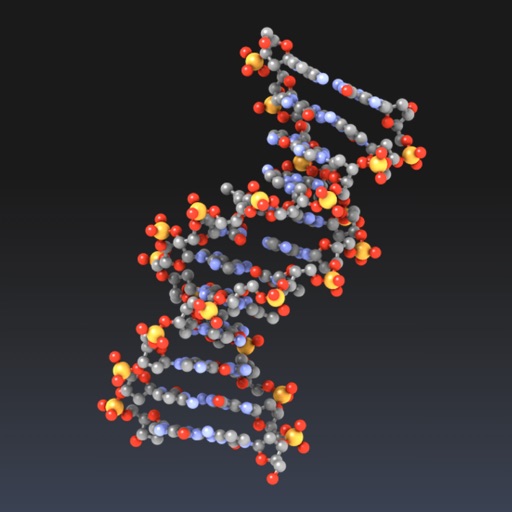
Explore molecular structures in 3D with intuitive gestures and customizable visualizations.
The app allows users to view and manipulate 3D molecular structures. It supports multiple visualization modes and file sharing options for molecular data.
Take notes with hand-drawn sketches, text, and diagrams. Use Apple Pencil for writing and drawing. Navigate pages with gestures and undo actions. Export notes to PDF. No ads or data collection.
Provides illumination using the device's flash or screen. Users can activate the light, adjust brightness, and control the from the lock screen. The optimizes battery usage and launches quickly.