Learn gestures, feel vibrations, communicate without looking
Communicate through gestures and vibrations without needing to look at the screen. Use Morse Code to send messages via dots and dashes. Set up with a caregiver for a deafblind user. Perform actions through muscle memory gestures.
by Alessandro Di Maio★ 5.03 ratingsMedicalFreeData updated 2026-09-06
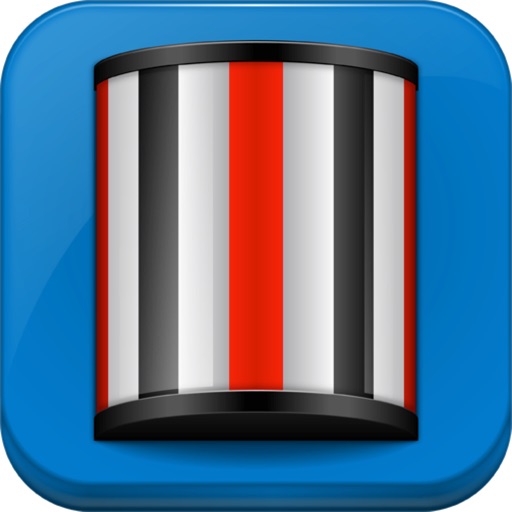
Use to evaluate neurological, otological, or opthalmological disorders. Initiate movement by tapping the screen to adjust strip speed. Toggle strip color between red and black via the bottom toolbar. Zoom or pinch to adjust view.
Type messages using on Apple Watch with a built-in keyboard. Send texts via watch without needing a phone. Learn with a cheat sheet. Use dits “.” and dahs “-” to type in on iPhone or iPad with the included keyboard.
A with three modes: torch, light, and strobe. Adjust brightness manually or automatically. Lock the screen to prevent accidental closure. Features quick startup and high-quality graphics for older iOS devices.
Calculate mathematical expressions with infix notation, view full equations as they are typed. Customize themes to match personal style. Access via lock screen widgets. Use one-handed keyboard for larger devices.
Type across 24 -based languages without switching keyboards. Use gesture shortcuts for faster typing and text navigation. Calculate math expressions with a single tap. Choose from 3 themes and 3 layouts including QWERTY, KALQ, and French.
Organize tasks with swipe gestures for lists and formatting. Add one-tap reminders and set priorities. Create folders and favorites for quick access. Sync across devices and search notes efficiently.
Create, read, and play code with this . Input text or type to generate codes. Interpret signals from light or sound. Take quizzes to practice decoding code strings. Learn through interactive exercises and feedback.
Edit photos by flipping, rotating, cropping, and applying filters. Use AI to suggest optimal filters. Flip images live during camera use. Batch edit multiple photos and save directly to the library.
The app features large, easy-to-read keys for quick input and a permanent display of the user's expression. Results appear automatically as the user types, eliminating the need for an equals key.
Convert text to and vice versa. Transmit via flashlight, screen blinking, vibration, and sound. Receive and decode input. Share converted messages directly.
Automate clicks, curved swipes, and pinch gestures on web pages or games. Set custom timing and locations for repeated actions. Perform tasks requiring consistent touch inputs without manual interaction.
Track and manage counters with customizable colors and sorting options. Use hotkeys and right-click for quick actions. View counting history and total values. Set auto-reset and last change timers. Access widgets on home and lock screens.
Change text appearance with 70+ styles. Select from business, casual, friendly, or romantic options. Apply to messages, documents, and other text-based content across platforms. Customize size and style for different purposes.
Magnify entire screen for detailed viewing after in- purchase. Freeze and share magnified images. Choose from auto-focus, locked-focus, or manual focus modes. Apply advanced filters to enhance image clarity and readability.
The app provides five Armenian keyboards for iOS, supporting Western and Eastern Armenian with a unified phonetic layout. It includes gesture typing, text navigation, and mathematical calculations, with multiple themes available for each layout.
The app offers a digital optokinetic drum for eliciting optokinetic nystagmus. Users can adjust stripe patterns, width, and speed for neurological, otological, and ophthalmological evaluations.
Type with auto-correct and predictive text. Access emojis without full access permissions. Customize themes and adjust layout. Use swipe gestures for navigation. Scroll through text for better cursor control.