Apps Like Note Widget - Love Drawing for iPhone and iPad
Share photos, videos, and messages
Share photos, videos, and messages with friends through widgets on the home screen. Receive notifications without opening the . Create customizable widgets for personal or shared use. Send unlimited text messages to partners.
by KYOTO K.K.★ 4.612,249 ratingsEntertainmentFreeData updated 2026-09-06
Celebrate anniversaries with custom dates and notifications
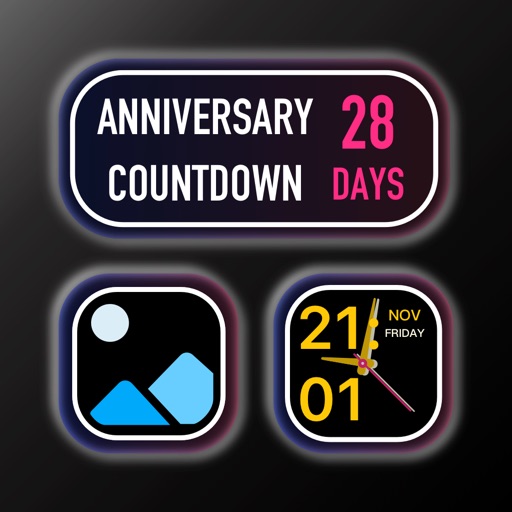
Track milestones by showing how long you and your partner have been together. Create unique anniversaries like "the 333rd day" or "the 50th month". Customize with a photo of you and your partner. Enable push notifications for special dates.
Play music from a collection directly on the home screen. Choose size to start playback instantly. Access trending albums and popular songs from Apple Music. Open the full-screen for enhanced playback experience.
Create and share interactive widgets to display daily vibes and life moments. Adopt and care for virtual pets with friends. Track sleep patterns and share updates. Customize home screens with fun, engaging content.
View zones for 30k cities. Add widgets to home screen. Adjust using converter. Rename locations. Use offline functionality. Navigate with clean, straightforward interface.
Create custom drawing widgets for home screens using various tools and colors. Draw messages and art for loved ones. Compatible with iPhones and iPads with drawing support. Share widgets with friends and partners.
Create and share custom and video art widgets for personal use. Draw unlimited pictures and animate them. Save and send creations to a partner. Access advanced tools for detailed artwork. Subscribe for additional features and content.
Connect with others to draw in real time. Create and share drawings instantly. Customize canvas with background photos. Place artwork on lock screen. Start sessions without accounts or personal data.
Create custom widgets by combining photos with text or dates. Place widgets on home screens. Share widgets with friends via iCloud. Send photos to their screens. View and manage shared widgets in iCloud.
Send messages, doodles, and drawings directly to friends’ widgets. Share sketches, notes, photos, and group messages on their home screens. Customize pen styles, colors, and thicknesses. Add backgrounds, text, and save drafts for later editing.
Create drawings with Apple Pencil support. Use grid or lined backgrounds. over existing images. Save square images. Add widgets to showcase drawings on the home screen. Enable multitasking and multi-window features on iPadOS.
Speed dial contacts directly from the home screen. Assign custom images to favorite contacts. Place widgets on the home screen for quick access. Make calls with one click. Personalize appearance and layout.
Create unlimited widgets and collections. Add favorite photos to widgets and configure them to display specific collections. Reframe photos and include optional date and text in widgets.
Change home screen and lock screen appearance with customizable , icons, and wallpapers. Select from themed icon packs and professional designs. Apply themes to both home and lock screens for a cohesive look.
Coloring pages allow users to animals, flowers, nature scenes, people, places, mandalas, and more. Follow numbered grids to fill in colors. Save progress and share completed artwork.
Customize the home screen by arranging widgets. Choose from various and . Adjust widget settings to suit preferred functions and appearance. Add widgets like wallpaper, clock, and weather.