Apps Like Background Color Editor for iPhone and iPad
Frame images in squares
Create square frames using images from your photo library. Add multiple images to a frame. Change . Rotate, resize, and reposition images. Preview the final image. Save the completed image to your photo library.
by Thomas Lojko★ 4.222 ratingsPhoto & VideoFreeData updated 2026-09-21
The app allows users to add typography, filters, frames, shapes, and stickers to photos. It includes tools to adjust sharpness, brightness, saturation, contrast, RGB, hue, and exposure.
Turn photos into pencil sketches using advanced analysis and redrawing. Select images from the library to convert into detailed artwork. Share the results directly or save as new files.
Reduce photo file size while maintaining quality. Resize images to fit specific dimensions. pictures for email, social media, or upload. Save storage space by optimizing image formats. Share compressed directly from the .
Access Imgur and Reddit photo galleries with search by tags and subreddits. Share favorite images via a built-in messages . Browse image comments and customize color themes. Lock the with a passcode.
Edit photos by removing unwanted background elements. Add romantic and stickers to images. Create collages for Day. Decorate pictures with customizable art tools. Share edited images directly.
Create effects to enhance photos. Apply 40 tints and adjust images directly. Add photos from the album or take new ones. Save edited photos within the . Share images on Facebook and Twitter.
The app allows users to place their face or a friend's face into over 200 mugshot images. Users can add extra images, captions, and frames to their creations before sharing them.
Resize images by adjusting height or width while maintaining aspect ratio. Compress files to reduce size. Save to camera roll, Files , or share via email, printer, and other native options.
Reframe photos by adjusting the frame or dragging handles to reposition elements. Use aspect ratios and grids to guide composition. Straighten images without losing resolution. Achieve balanced compositions by recomposing existing photos.
Resize images to 480x640 pixels without internet. Select photos from the library. Adjust up or down. Export resized images directly. No internet required for resizing. Simple interface for quick adjustments.
Resize images to custom sizes with pixel, millimeter, centimeter, or inch units. Maintain aspect ratio by linking width and height fields. Save, email, print, or share edited images. No ads or in- purchases.
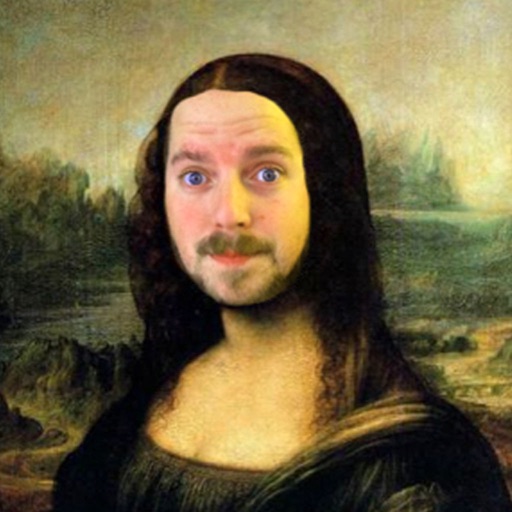
The app allows users to insert their face into 200 classic paintings using face recognition. Users can then add over 200 images, captions, and more than 40 frames to their creations before sharing them.
Edit photos with resizing, text addition, and customization. Choose from categories like romantic, love, and holiday frames. Apply various effects and save or share edited images.
Create pixel art with automatic double pixel removal for precise line art. Use round, square, and matrix dither brushes. Draw lines locked to isometric angles. Create rectangles and ellipses. Manage layers for animated projects.
Add , captions, and artwork to . Select from curated background options. Choose images from device storage or camera. Adjust size, position, and style. Save and share edited directly.
Remove unwanted areas from images or PDF files using precise cropping tools. Stitch multiple images or PDF pages together. Export cropped content as JPEG, PNG, or PDF to the Photo Library or other apps.
Add cute and funny labels to photos of children. Edit images with customizable borders and stickers. Organize photos into albums and share edited content directly.