

Apps Like Multiple Image Blend- Auto Cut for iPhone and iPad
Multiple Image Blend- Auto Cut screenshots
Ranked alternatives
Showing 41–60 of 1,000 ranked alternatives.

Glitter Collages & Art: Glitty
Stan Gerards
Create art with and sparkles
Edit photos by applying 100+ textures with brush tools. Adjust effects using opacity and blend modes. Retouch with an eraser. Add sparkles and other decorative elements. Save edits or share directly to social media.

Ultimate Photo Mixer Blender
Saraswati Javalkar
Mix photos and overlay images together
Edit photos by overlaying multiple images. Adjust blending modes and exposure settings. Access a collection of pre-designed overlays and effects. Save and share the final mixed image.

PixelLab: AI Photo Editor
PIYUSH SHIYANI
Edit photos, add drip art, create collages
Edit photos with AI cartoon filters, -to-sketch conversion, and mosaic art creation. Remove backgrounds, add drip art, and create collages. Save and share edited images directly.

PhotoWizard-Photo Editor
Pankaj Goswami
Edit photos with advanced masking tools
Edit photos with filters, masking tools, and multiple filter layers. Apply selective filters using advanced masking to create effects like color splash or tilt shift. Adjust and combine filters for custom results.

Blend Photos
TAPUNIVERSE LLC
Images with premade templates
Edit images with blending effects and premade templates. Crop, rotate, and adjust . Access advanced controls for detailed editing. Save and share edited images directly.


AI Background Remover - Eraser
MAETCH EXPANSION, S.L.
Edit photos, remove backgrounds, share instantly
Edit photos with one-tap removal and object erasing. Apply creative effects, blur tools, and adjust details. Share edited images directly or save in various formats.

Glitch Art Studio: Cam Effects
NET Sigma Tecnologia Ltda - ME
Apply to photos and videos
Edit photos and videos with like Analog Noise, Digital Noise, and VHS Noise. Apply such as Color Aberration, Datamosh, and Pixel Sorting. Save edited content as animated GIFs. Export in 4K resolution.


Eraser: Remove Objects Removal
PROTOOLS LLP
Remove from photos
Remove backgrounds from photos to create transparent images. Highlight the subject and replace the with a new image. Adjust transparency and export the edited photo.

Picture in Picture (PIP) Frame
Iftikher Sultan
Create PIP images with frames
Select photos from gallery or photo library. Choose from numerous PIP frames. Use single image for both foreground and background or different images for each. Edit foreground and background separately. Apply photo filters.

Photo Editor+
Axiem Systems
Fully featured photo editing tools available.
The app offers tools to enhance photos, remove blemishes, and apply various effects. Users can combine photos into collages, add stickers and frames, and adjust image properties like brightness and contrast.

Photo Blend - Collage Maker
Pankaj Yadav
Images to create double exposure effects
Create double exposure effects by blending two images. Adjust opacity and alignment for custom overlays. Save and share edited photos directly. Access advanced editing tools with a premium subscription.

Ai Background Eraser & Remover
Maxima Apps
Remove backgrounds and edit images
Remove backgrounds from images using automatic or manual tools. Edit photos with removal, erasing, and recovery brushes. Save and share edited images directly.


Image Editor - Filters Sticker
惠英 印
Edit photos quickly and easily.
The app offers tools for photo editing, including frames, layouts, and effects. Users can adjust color balance, brightness, contrast, and saturation, and apply sharpening or blurring.
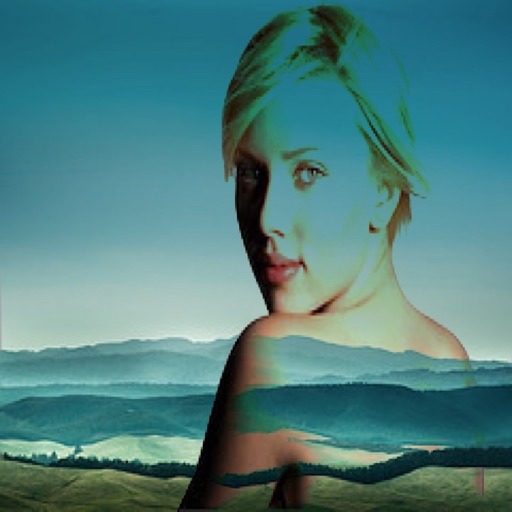
Photo Blender Free
Vendi Mobile Technologies Private Limited
Combine two images with blend modes.
The app allows users to combine two images using various blend modes. Users can select photos from their device or the web and adjust layer transparency.

Superimpose X
Pankaj Goswami
Edit layers, blend modes, and masks
Edit photos with multiple layers, blending modes, and masking. Adjust colors and brightness using adjustment layers. Apply brushes, smudge, warp, and effects. Add shadows and clarity. Export and share edited images.
How we rank alternatives
Apps are ranked by functional similarity, category fit, rating confidence, and popularity.