Helps users identify specific frequency ranges through Sine wave or Pink Noise playback. Users adjust equalization settings to match target frequencies. Track progress with built-in exercises and feedback.
by Wilson Desimini★ 3.89 ratingsMusicFreeData updated 2026-09-06
Measure and display real-time frequency spectrum with Spectrum RTA. Calibrate monitor levels using the Level Meter. Determine optimal EQ presets with EQ Recommendation. Align monitors for accurate sound with Monitor Align.
Generate pure tones, frequencies, and waveforms for and headphone testing. Customize frequency ranges and noise types. Perform audio quality tests and analyze sound output. Save and share test results.
Generate tones between 50 Hz and 30,000 Hz for testing or tuning. Track environmental noise levels and detect harmful sound pressure. from phone speakers using sound waves to restore sound clarity.
Use , including Delta, Theta, Alpha, Beta, and Gamma (40 Hz) frequencies, to promote relaxation and focus. Access Solfeggio tones like 432 Hz and 528 Hz.
Practice identifying , , and intervals through interactive exercises. Train ear to recognize melodies and chord progressions. Play accompaniment on guitar or piano. Track progress with built-in exercises and scales.
Train musical ear by identifying scale degrees through sustained drones. Practice melodies by playing them on your device. Receive instant feedback on accuracy. Customize training sessions with different keys and difficulty levels.
Udio signals with adjustable parameters and frequency up to 20 kHz. Create single signals, sweeps, or merged signals. Control duty cycle, frequency, and waveform type. Export generated audio files.
Analyze frequencies with a real-time display. Adjust and visualize sound levels across different frequency ranges. Export analysis data and compare signals for accuracy. Calibrate equipment for optimal performance.
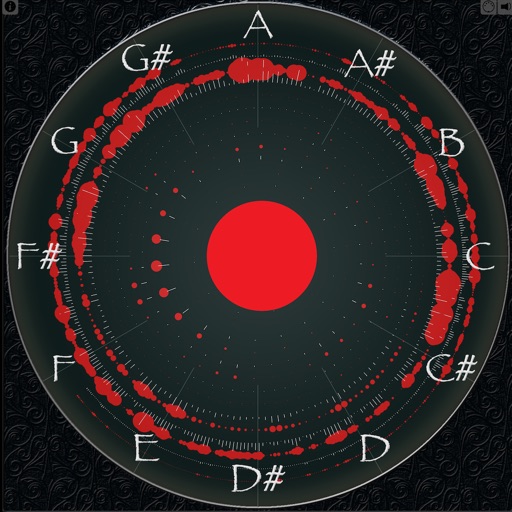
Displays sound frequencies using a Fast Fourier transform. Users can visualize incoming sound as individual sine waves. The shows frequency spectrum displays to analyze audio components.
Generate and white noise for relaxation, focus, and . Adjust frequency ranges like delta, theta, alpha, beta, and gamma. Set playback duration and volume. Save and organize custom sound sessions. Share sounds via social media or messaging apps.
Edit by splicing, mixing, and cutting. Record with wired or wireless earphones. Adjust playback speed from 0.2 to 4 times. Balance left and right channels. Export edited files.
Train musical ears with interval recognition, melody identification, and chord detection exercises. Create custom drills and adjust difficulty levels. Receive instant feedback on note entries and track progress over time.
Train Your Musical Ear – The Fun Way! Master chords, notes, and intervals in your key through bite-sized games. Identify pitches, recognize chords, and improve interval recognition. Track progress with custom exercises and adjust difficulty levels.
Practice ear with customizable exercises for chords, intervals, and scales. Track progress across different disciplines. Use a configurable for visual feedback. Access tutorials and follow guided lessons for skill development.
Adjust for 4 adjustable frequency bands. bass focus in the center channel and maintain spacious mid-range imaging. Solo each band for individual auditioning.
Create personalized soundscapes by combining nature , tones, frequencies, and binaural beats. Adjust volume and loop settings for continuous playback. Access pre-made mixes for relaxation, sleep, focus, or meditation.
Learn music theory with lessons on chords, scales, and intervals. Identify melodies by ear and practice sight reading. Train rhythm, solfège, and note recognition. Sing notes and intervals to improve pitch accuracy.
Real-time analysis displays waveform and amplitude simultaneously. Users can switch between portrait and landscape modes. Options to configure waveform and display. Adjustable FFT size and window function for precise frequency analysis.