Create animated stop-motion videos using device camera. Capture frame by frame sequences. Record videos and edit footage with in- tools. Add effects and export final projects.
by Corporacion RTVE★ 3.19 ratingsPhoto & VideoFreeData updated 2026-09-15
Capture photos and videos without visible interface elements. Take high-quality images or record videos with a single tap. Select from premium background options for discreet documentation or security use.
Record 360° videos in 5.8K resolution. Crop and frame sections of 360° footage. Share as HD video or immersive 360° video. Apply stabilization to reduce camera shake. Edit clips and export in multiple formats.
Convert videos and pictures into panoramic 180° or 360° formats for VR viewing. Enable automatic background removal and playback in mixed reality. Adjust view frame size and spacing. Control with Bluetooth handles, mice, or buttonless triggers.
Create videos from text descriptions using AI technology. Generate footage without editing skills. Sync with devices to view and share videos. Edit clips with trimming and transitions. Add music and visual effects.
Display photos from device storage, iCloud, Facebook, Flickr, Instagram, Google Photos, and Dropbox. Show all photos or specific albums. Customize frame layout and transition effects. Share photos via social media or email.
Create short videos by arranging clips, adding music, and applying effects. Edit footage instantly without complex tools. Save videos to camera roll or share via email, Twitter, and Facebook.
Create videos from photos in the camera roll. Adjust video canvas size for square or vertical formats. Change playback speed for effects. Apply transitions between clips. Export and share the final video.
Create -themed collages using 100+ available frames. Add text with customizable fonts and colors. Adjust opacity and rotate images. Select photos from gallery or camera. Apply effects to enhance visuals.
Edit photos by adding holiday with adjustable size, color, spacing, and placement. Apply holiday-themed frames and text overlays. Animate with two timers. Share 10-second videos, animated GIFs, or single-frame photos.
Turn your iPhone or iPad into a kaleidoscope camera. Capture images with dynamic, shifting patterns. Adjust color and brightness settings. Share photos directly from the .
Edit photos with 100+ presets and trending filters. Apply drip art, neon, and spiral frame effects. Add typo text and customize image sizes for social sharing. Use AI-powered background eraser and blend tools.
Apply winter-themed to images. Adjust frame opacity and position. Share edited photos directly. Add text overlays and decorative elements. Export in various formats.
Extract high-quality frames from videos and select the ones. Edit key frames, create animated GIFs, and export custom loops. Share clips directly to social media platforms like TikTok and Instagram.
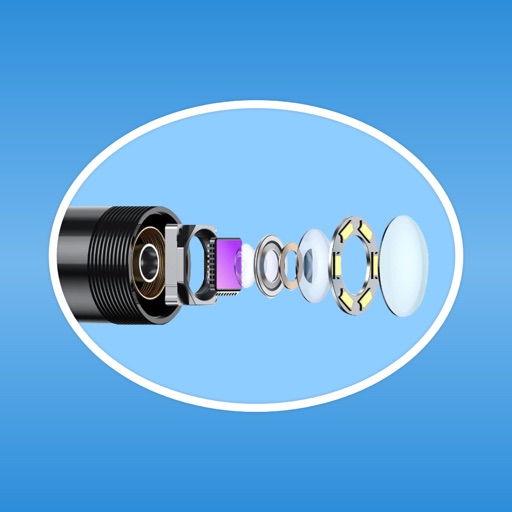
Transmit photos and videos wirelessly via WiFi. Connect camera devices to iOS devices. Adjust WiFi settings for connection. Stream live footage in real-time. Save and share captured media directly.
The app offers video editing tools for creating professional quality videos. Users can fine-tune visual effects, adjust playback speed, stabilize footage, and add images and audio.
Record videos with manual controls for exposure, shutter speed, ISO, white balance, focus, zoom, frame rate, quality, resolution, and aspect ratio. Save and share videos via iTunes, Airdrop, or other transfer methods.