
VR Player mw (Local Videos)
Convert videos and pictures to panoramic views
Dezhou Meiwang Information Technology Co., Ltd.
iPhone Screenshots




Description
Convert videos and pictures into panoramic 180° or 360° formats for VR viewing. Enable automatic background removal and playback in mixed reality. Adjust view frame size and spacing. Control with Bluetooth handles, mice, or buttonless triggers.
Introduction:
This is an unprecedented VR (metaverse) glasses dedicated software for viewing local albums. It can convert ordinary videos/pictures to panoramic videos/pictures for viewing, supports 180°/360° panoramic videos or pictures, and supports automatic background removal and playback in MR form.
• Supports Bluetooth handles, Bluetooth mice, and buttonless (1 second stay trigger) and other control methods;
• The view frame size and spacing can be adjusted at will;
• Supports all video formats that the mobile phone itself can support;
• Efficient ordinary menu UI + virtual menu UI;
This APP has multiple scene modules with different functions:
• Convert to panorama: You can directly open ordinary videos/pictures in your mobile phone album, that is, play them as VR panoramic frames;
• Dedicated for panoramic videos + mixed reality background removal: Supports 3D SBS binocular bionic stereo images, and supports 360° VR videos with up and down, left and right, single screen, etc.
In this mode, the video/picture background is automatically removed. The real-time picture of the mobile phone's rear camera is used as the background. Videos or pictures with green backgrounds are required. High-quality green background videos can bring an excellent experience. Built-in instant switching button;
• Simulated multi-person cinema: feel the curved surround giant screen in the cinema;
• City Square: Experience the realistic scene of the screen watched by many people in the city square;
• Black hole swallowing: The simulated cinema is built on a planet being swallowed by a black hole;
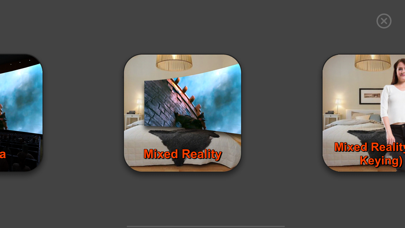
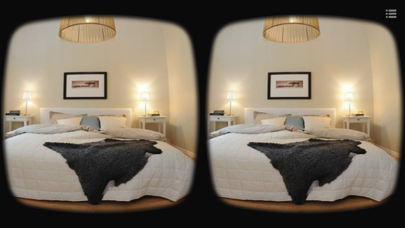
• Mixed reality: A virtual giant screen displayed in reality can be scaled at will. Use the real-time picture of the mobile phone's rear camera as the background, and be careful not to block the rear camera.
In this mode, the video/picture background is automatically removed. Videos or pictures with green backgrounds are required. Built-in instant switching button;
• Mixed reality (AI background removal): The portrait background can be automatically removed to put the person you like in the room;