Apps Like Griddal - Split Profile Pics for iPhone and iPad
Edit photos, crop, and post in order
Slice photos into smaller squares and arrange them in a specific order for Instagram. Users can select images from their library, crop them, and post the arranged slices to create a cohesive image.
by Foobar Creative★ 4.58 ratingsSocial NetworkingFreeData updated 2026-09-13
Crop and trim clips, split or duplicate segments. Adjust position, rotate, or flip. Apply filters and customize background color. Merge videos and change playback speed for slow or fast motion.
Take long screenshots by sliding across the screen. Crop and edit images to refine the shot. Supports WhatsApp, Instagram, websites, and other apps. Includes video tutorials for guidance.
Create pictures from any using AI to remove backgrounds. Apply effects like duotones, black and white, and gradients. Generate instant designs and matching background covers. Share directly on social media or messengers.
Split videos into custom-length clips for social media . Upload to Instagram, Facebook, and other platforms. Avoid watermarks and time limits. Share content across multiple posts.
Manage Instagram content with direct post publishing and notification alerts. Edit photos using advanced filters. Track follower analytics and manage hashtags for better engagement. Share edited content directly to Instagram.
Create Instagram story covers and icons by customizing colors, borders, and text. Access over 500 pre-designed templates. Edit elements like labels and icons directly. Share finished designs to Instagram.
Check Instagram profiles without logging in. Scan a profile to see who doesn't follow you back. No password required. View one-way followers instantly. No account access needed.
The app allows users to select a photo and create a blurred frame effect instead of cropping. Users can adjust the blur and fade effects and save the modified photo to their gallery for sharing.
The app allows users to post videos to Instagram without cropping by adding sidebars. Users can add custom watermarks, choose background colors, and select frames.
Videos into segments under 60 seconds with a single tap. Remove ads, watermarks, and in- purchases. Access dark mode and landscape view. No personal information is collected.
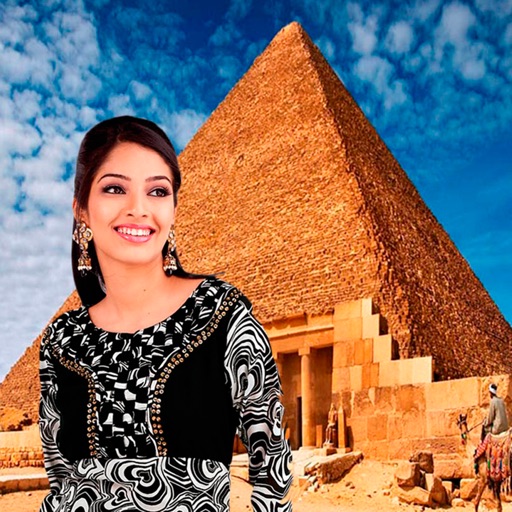
Select a monument from the collection. Crop a photo by pressing the silhouette button. Draw the desired area your finger to cut out your figure. Position yourself within the chosen image section.
Create grids for social media and galleries. Arrange and resize images in customizable layouts. Add borders, frames, and text overlays. Share grids directly to Instagram or save as high-quality images.
Select and refine photos, outfits, and interior design options based on user input. Analyze images to suggest optimal choices for specific scenarios like dating profiles or travel outfits.
Create videos by adding animations and images. Edit using a timeline. Shoot square videos with pause function. Search assets by keywords. Use unlimited fonts. Record without internet. Ideal for bloggers and Instagram creators.
Create custom profile pictures for social networks like Instagram and Facebook. Remove image backgrounds automatically. Enhance quality and add backgrounds. Convert regular photos into professional-looking profile pictures.
Edit photos with filters, cropping, and adjustments. Change backgrounds and add stickers. Create collages and customize . Design Facebook and Instagram posts and stories. Export edited images in multiple formats.