Design interfaces with buttons, faders, and colour
Design custom user interfaces with drag-and-drop elements. Add buttons, faders, and color pickers. Preview and export interface designs for the . Adjust layouts and styles for different screens. Save and reuse interface templates.
by Visual Productions BV★ 0.00 ratingsUtilitiesFreeData updated 2026-09-13
View and open documents in formats like Word, Excel, PowerPoint, PDF, TXT, ZIP, RAR, and RTF. Support for viewing and basic navigation within files. No editing features included.
Manage industrial systems remotely using iPad clients. Control devices with visual interfaces and edit projects via EasyBuilder software. Monitor and adjust settings in real time without physical hardware connections.
Design circuits, simulate logic, test configurations
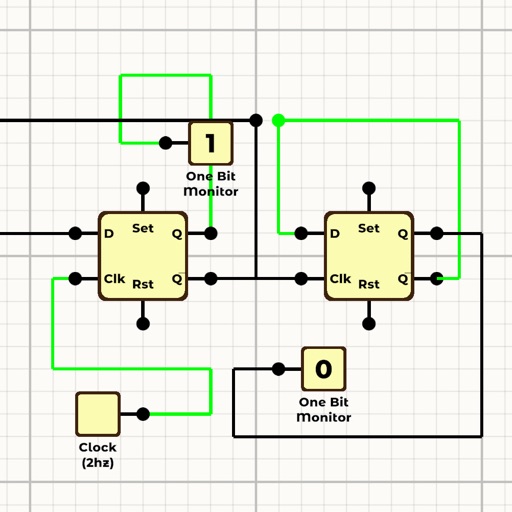
Design and simulate logic circuits with drag-and-drop components. Connect inputs and outputs to test behavior. View real-time simulation results and adjust parameters dynamically. Save and export designs for further analysis.
Engineers and designers can access standard dimensions for welded and seamless wrought steel pipes. View outside diameter, nominal wall thickness, and plain end mass. Search by pipe type and material. Export data in multiple formats.
Configure feedback for iOS devices. Test different vibration patterns in real time. Generate code snippets for integration. Adjust intensity and duration settings. Preview responses on iPhone, iPad, and Apple Watch.
Browse and play files organized by folders. Support multiple formats. Access a clean, user-friendly interface for media playback. Navigate through files and manage playback settings.
Apply blur effects to specific areas or the entire photo. Adjust blur intensity and select from multiple blur styles. Save and share edited images directly.
Manage tasks with a simple interface. Add, mark as complete, and prioritize tasks. Set due dates and reminders. Sync across devices and view progress statistics.
Edit PDFs by merging multiple files into one, splitting large documents, deleting pages, and compressing files to reduce size. Save and share edited PDFs directly.
Create and organize tasks with a simple interface. Add items quickly using an intuitive adder. Set due dates and locations via calendar and map views. Group tasks for better management. Track progress and locate items easily.
Single Line Diagram helps electrical professionals verify wire and conduit sizes based on load selections. It uses NEC standards to provide minimum requirements. Users can check sizing for designs or installations and validate against code.
Create long drawings with customizable styles, text, and background colors. Edit photos using filters, stickers, and matting tools. Cut images into various layouts for sharing. Design custom stickers and save screenshots or tutorials.
Design and print custom labels with flexible layout options and rich editing tools. Create mixed-length labels for multiple sizes. Connect directly to compatible LabelWorks printers without drivers. Save and reuse templates for repeated use.