Take photos and record live photos and videos. Capture 48MP images on compatible devices. Choose from multiple aspect ratios. Use serial shot mode by pressing and holding. Support multi- setup. Customize skin. Share photos directly via URL scheme.
by KANAME OHARA★ 4.413 ratingsPhoto & VideoFreeData updated 2026-09-12
Edit photos and videos with AI-generated anime styles, including facial enhancements and background effects. Apply filters, adjust colors, and add animated elements. Export edited content in various formats and share directly.
Record video with and cameras simultaneously using Picture-in-Picture, split screen, or single layouts. Capture triple shots in one click. Save and share recordings.
The app transforms an iPhone, iPod touch, or iPad into a Wi-Fi network IP camera. It streams images, video, and audio to compatible applications and web browsers, with options for camera selection, flash control, and image adjustments.
Turn your iPhone or iPad into a kaleidoscope camera. Capture images with dynamic, shifting patterns. Adjust color and brightness settings. Share photos directly from the .
Record videos with manual controls for exposure, shutter speed, ISO, white balance, focus, zoom, frame rate, quality, resolution, and aspect ratio. Save and share videos via iTunes, Airdrop, or other transfer methods.
Edit photos with monochrome, retro, and vintage . Apply effects to enhance visuals. Share edited images directly from the . Adjust brightness, contrast, and saturation. Save and export in standard formats.
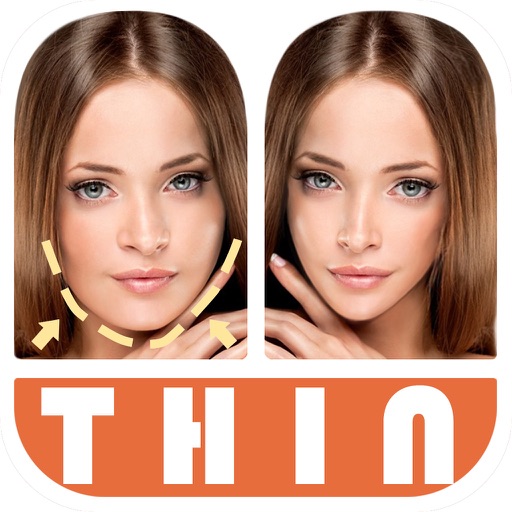
Edit photos by automatically detecting faces and adjusting body shape in four modes: , head, body, and manual. Apply changes to photos from the or library and share the edited images.
Enables manual adjustment of settings such as focal length, exposure, ISO, shutter speed, and white balance. Users can capture photos and videos with precise control.
Remote control four-axis aircraft via iOS device. View real-time video from the aircraft's camera over 2.4G WiFi. Capture photos and videos from the mobile phone. Enable Trajectory Flight mode. Use Voice Control mode for commands.
Capture photos with adjustable brightness and zoom via slider. Choose resolutions including max device, Full-HD, HD, VGA, and CIF. Toggle between resolution options for different needs.
Edit photos with effects, filters, and customizable stickers. Blend images and add 3D or overlays. Crop photos and draw on them. Apply frames and borders. Use a custom camera to capture and enhance images.
Add and time stamps to photos automatically or manually. Include captions and watermarks with customizable text. Apply signature stamps and logo overlays to protect photos with copyright marks.
Edit photos and videos with manual controls and custom film emulation. Adjust color and exposure settings. Support external drives for storage. Capture in professional formats. Manage advanced workflows with separate photo and video settings.
Edit photos with brightness, saturation, and contrast adjustments. Add text, stickers, and memes. Crop, rotate, and straighten images. Apply effects and frames. Sharpen or blur photos. Import images from the camera roll. Fix red tones.
The app allows users to transform their photos and videos into cartoons. Users can create their story with toon effects and make cartoon selfies easily.
Create looping videos and animated GIFs from photo bursts. Capture bursts via Camera on compatible devices. Edit and export as video or GIF. Share creations directly from the .
Add to photos with machine learning. Choose from Bokeh, Box, Motion, Crystallize, or Pixelate styles. Adjust intensity with a slider. Apply to single or multiple images.
Take black and white photos with live preview. Use colored lens filters and professional conversion settings. Adjust contrast, brightness, and exposure in real time. Add film grain and black vignetting. Export images to social media and email.