Take photos and record live photos and videos. Capture 48MP images on compatible devices. Choose from multiple aspect ratios. Use serial shot mode by pressing and holding. Support multi- setup. Customize skin. Share photos directly via URL scheme.
by KANAME OHARA★ 4.413 ratingsPhoto & VideoFreeData updated 2026-09-12
Take photos or videos simultaneously with front and back cameras. Capture landscapes and selfies at the same time. Record vlogs and shoot videos. Stitch photos together or switch cameras during . Share content directly to social networks.
Use to create trippy photos by swiping to in real time with 40 3D templates. Apply 10 film effects and choose funny dance or rock modes. Capture photos and videos in square or rectangle formats. Save high-resolution images to roll.
KUPERTINO BIL. YAZ. HALIL IBRAHIM KARAHAN SAFFET ARSLAN MUSTAFA AYTEN MUHAMMET YALCIN OZDEMIR K. S.
Record videos and photos
Record photos and videos with palettes, night vision enhancements, and infrared moods. Adjust intensity and contrast to enhance visuals. Switch between , night vision, and infrared modes instantly.
Convert photos into dynamic videos with AI-generated motion and cinematic quality. Support for all image formats and aspect ratios. Create smooth transitions between frames. Export videos in various formats.
Capture photos and videos with retro film filters and analog textures. Adjust exposure, contrast, and grain. Apply vintage color effects and scan-to-video conversion. Share edited media directly to social platforms.
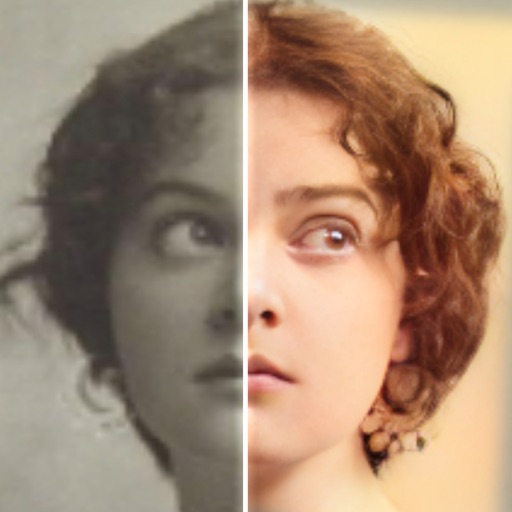
Edit photos with AI colorization, enhancement, and restoration. Remove scratches, tears, and blurs. Convert black and white images to high-definition . Adjust clarity and brightness. Share restored photos directly.
APPAS SOLUTIONS, SOCIETATEA CU RASPUNDERE LIMITATA
Capture photos and videos with zoom.
The app offers over 50 photo and video filters and effects, including glamor effects. It provides 32X digital zoom for photos and videos, with features like GPS location tagging, photo stabilization, and auto focus.
Control a DJI PHANTOM 1’s camera remotely. Capture photos and videos. Manage photo albums. Adjust camera settings. View live feed and track flight status.
Take photos with single-tap effects and professionally designed filters. Adjust brightness and contrast. Apply blur and focus. Rotate and crop images. Export edited photos in various formats.
Take photos of objects to create - animations or time-lapse videos. Edit sequences, adjust timing, and export as cartoons or animations. Combine photos into videos with customizable transitions and effects.
Reframe photos by adjusting the frame or dragging handles to reposition elements. Use aspect ratios and grids to guide composition. Straighten images without losing resolution. Achieve balanced compositions by recomposing existing photos.
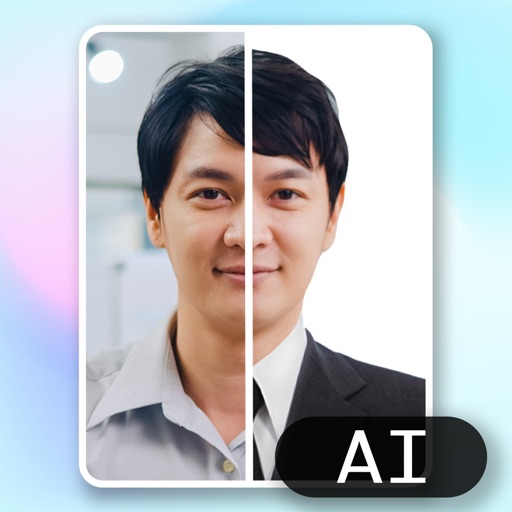
Create ID photos using AI to remove backgrounds and add formal clothing. Edit images directly on your phone simple tools. Save and share the final result.
Edit photos with single-tap effects and professional filters. Adjust brightness and contrast. Apply blur and focus tools. Enhance portraits with specialized filters. Export edited images in various formats.
Control Car Camera via smartphone with wireless connection. Stream real-time video, download and playback media files. Edit videos and photos. Share content to Facebook, Twitter, and Instagram.
Record high-resolution video in multiple aspect ratios and frame rates. Adjust focus, exposure, tint, and temperature with swipe gestures. Create and save custom aspect ratios. Crop media or optimize for Instagram using color-based mattes.
Capture photos and videos with GPS location and timestamp stamps. Adjust exposure, focus, and white balance. Edit images with cropping and filters. Share media directly with location data embedded.
Edit photos with PIP frames, collages, and creative layouts. Add crystal bottle patterns and cartoon styles. Share edited photos directly to social media. Adjust brightness, contrast, and colors. Crop and rotate images.
Capture photos with a unique film style inspired by @hwa.min's aesthetic. Adjust color tones and lighting to match the film's warm, atmospheric look. Share edited photos directly to social media.